Fifteen blocks, eleven of them carrying the Action marker. The group note in the picker says it plainly: practical answers, where, when, how to reach you.
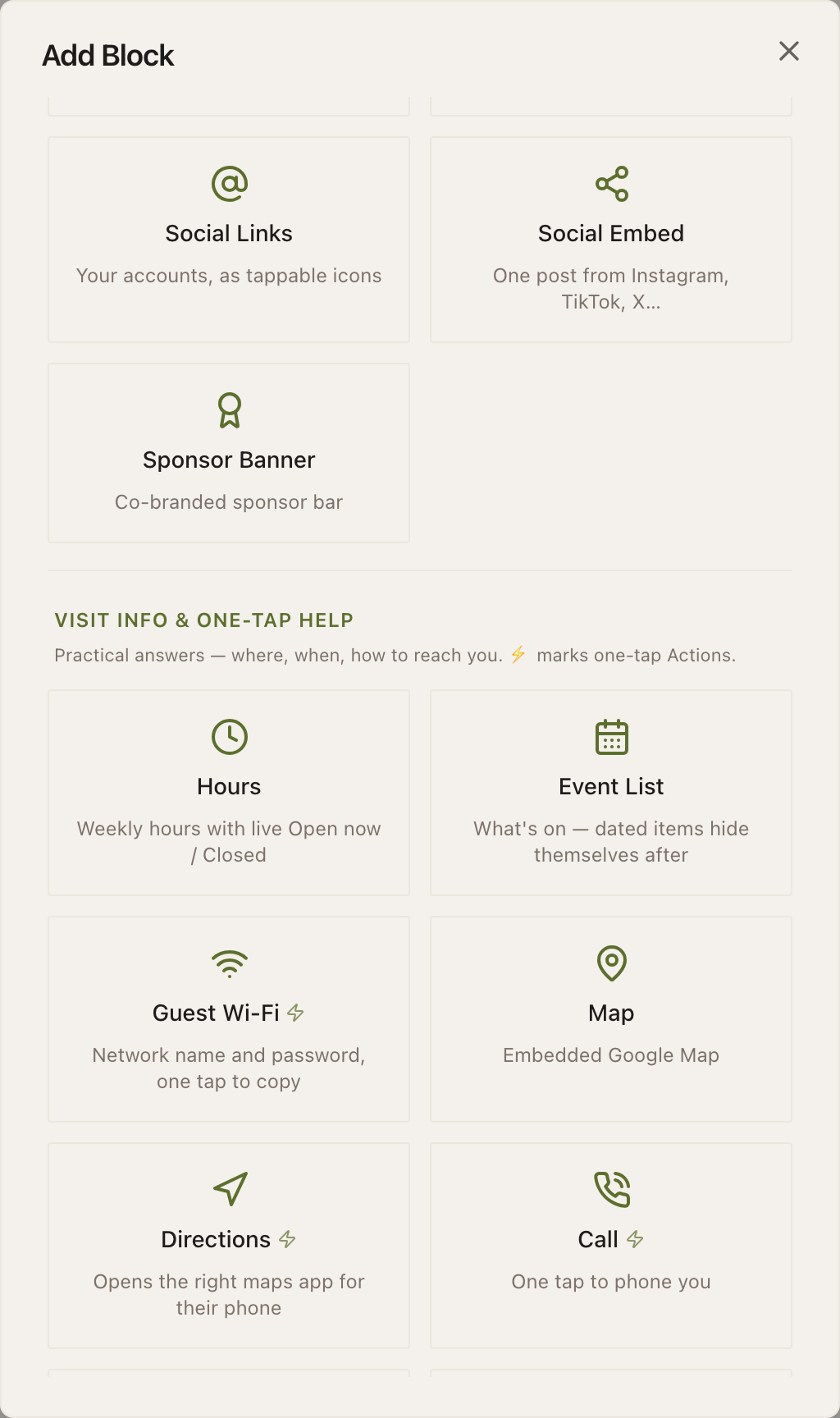
Nine of the fifteen are free. Two need Starter, two need Growth, and two are Enterprise.
Where you are, and when you are open
- HoursFree
- A weekly hours board with a live Open now or Closed state on top of it. Fields: a heading, Weekly hours (a row per day), and Note (optional) for the exception the grid cannot express.
- Event ListFree
- What is on. Fields: a heading, Events (each dated), and Hide events after their date passes, which is the field that stops the block turning into a list of things that already happened.
- MapFree
- An embedded Google Map. Field: Google Maps embed URL or address. Use it to show where something is on a page somebody is reading at home.
- DirectionsFree
- Opens the right maps app for the phone in the visitor's hand: Apple Maps on iPhone, Google Maps on Android, the native app when it is installed. Fields: Destination (with an address search), a button label and a heading.
Example
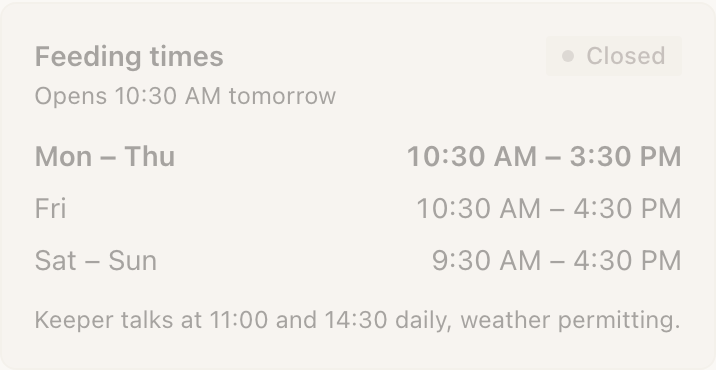
Cedar Hollow Zoo & Aquarium: feeding times on the rail
Penguin feeding is 11:30 and 15:30 every day, and the sign saying so has been wrong twice this year because somebody laminated it.
One Hours block, headed Feeding times, with the two slots on every day of the week and a Note reading: the afternoon feed moves to 15:00 on days the keeper talk runs. The live state at the top tells a visitor at 15:10 whether they have missed it.
The winter talks programme on the same Marker is an Event List instead, with Hide events after their date passes turned on, so the block empties itself in March rather than advertising a talk that happened in January.
How a visitor reaches you
- CallFree
- One tap to phone you. Fields: a phone number, Button label, Heading (optional) and Hours note (optional): the last one is worth filling in, because it is the difference between a call at 11pm and a call at 11am.
- Text UsStarter
- Opens the visitor's messaging app with your number and a message already typed. Fields: a phone number, the Pre-written message, a button label and a heading. It only reaches you if they press send.
- Save ContactStarter
- Adds your details to their phone as a contact card. Field: Note (optional): the name, organisation, phone and email come from your profile. Inside Instagram's or LinkedIn's built-in browser it saves as a file instead, and the block says so.
- Live ChatFree
- A Chat with us button that opens your tawk.to chat inside the Experience, on tawk.to's own page. Fields: tawk.to Property ID (paste the Direct Chat Link and it fills both IDs), Widget ID (optional), and an optional title, description and button label. Only worth adding if somebody is genuinely watching the other end.
What you hand over
- Guest Wi-FiFree
- Network name and password, with one tap to copy. Fields: Network name (SSID), Security, a password, Heading, Note (optional) and Show a QR for laptops. An open network renders as one, and a missing SSID tells you the block is unfinished rather than shipping blank.
- FileFree
- Hands over a document: a menu, a spec sheet, a class schedule. Fields: File (upload or paste a URL), Button label, a heading and a description. A PDF opens inside the Experience; anything else is a plain download.
- Add to CalendarGrowth
- Drops an event into the visitor's calendar. Fields: Event name and Starts (both required), plus Ends (optional), a location and a description. Leave the end time blank and the event runs for an hour.
- BookEnterprise
- Sends them to your booking system: Calendly, Square, Mindbody, anything with a link. Fields: Booking link, a button label and a heading.
- View in AREnterprise
- Places an object in the room through the phone camera, with no app to install. Fields: iPhone model (.usdz), Android model (.glb), Poster image (optional) and a heading. Upload both files: neither format works on the other platform, and a visitor whose device cannot do it is told plainly instead of tapping a dead button.
Example
The Bellhaven Hotel: the nightstand Marker
A guest arrives at 11pm, drops their bag, and wants exactly one thing. The nightstand Marker gives it to them in one tap.
- Guest Wi-Fi first, with Show a QR for laptops on, because the guest travelling for work has a laptop that cannot tap an NFC Marker.
- Action Hub second: reception, room service, and the spa's opening times. Three outcomes, one block.
- File third: the room-service menu as a PDF, which opens inside the page rather than throwing them into a browser tab.
- Call last, with an Hours note reading: the front desk is staffed 24 hours.
The Wi-Fi block is free, the Action Hub is free, the File is free. Nothing on the highest-value Marker in the building needs a paid plan.
Several outcomes in one block
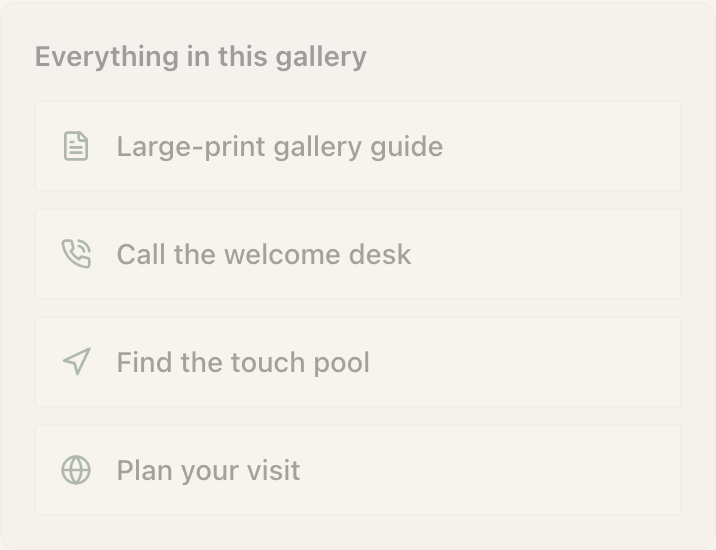
Action Hub is two to five outcomes stacked in one block, and it is the answer whenever somebody says they just need the basics. Fields: Heading (optional) and Links, each with a kind: Call, Directions, File or menu, Wi-Fi page, Instagram, or any link.
The kind matters. A Call row dials rather than opening a web page; a Directions row opens the maps app. It caps at five on purpose, because six outcomes in one block is a menu, and a menu is not one tap.
Safety information
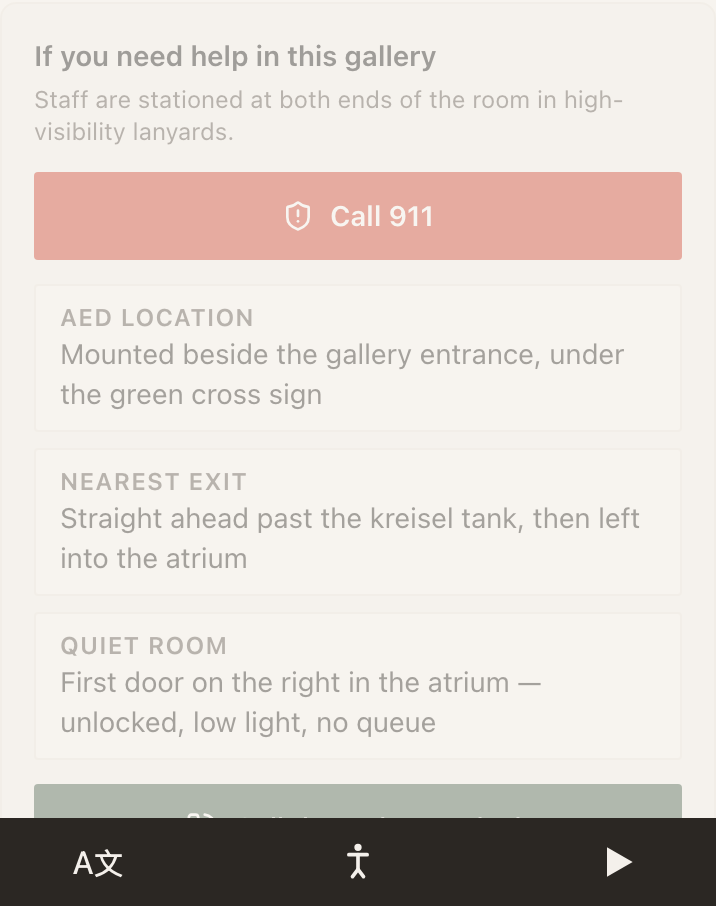
Safety Card is where the AED is, where the exits are, and who to call. Fields: a heading, Emergency number, Key information (a label and a detail per row) and Site manager phone (optional). It is drawn high-contrast and short, because somebody reading it is in a hurry.
Example
Harbour Point Aquarium: the plant-room corridor
Staff-side Markers on the doors of the filtration corridor. The person reading one is a contractor who has been in the building for four minutes.
- Safety Card with the emergency number, four rows of key information (AED at the north stair, nearest exit through the loading bay, chemical store key held at the desk, isolation switch behind the door), and the duty manager's number as the site contact.
- File below it with the full method statement as a PDF, for the reading that is not urgent.
The split is the point. What somebody needs in ten seconds goes in the Safety Card; what they need to read properly goes in the File.
What each of these needs
| Plan | Blocks in this group |
|---|---|
| Free | Hours, Event List, Guest Wi-Fi, Map, Directions, Call, File, Action Hub, Live Chat |
| Starter | Text Us, Save Contact |
| Growth | Add to Calendar, Safety Card |
| Enterprise | Book, View in AR |
Several of these can also ask a visitor to verify their phone number before the block hands anything over: Guest Wi-Fi, File, Add to Calendar, Book, View in AR and Action Hub all support it, which turns your most-wanted content into contacts you can reach. Safety Card is excluded on purpose.
Live example · The Bellhaven Hotel
Open full sizeDoes Text Us send the message for me?
No. It opens the visitor's own messaging app with your number and your text already typed. They still have to press send, and it only reaches you if they do. That is also why it costs nothing to run: no numbers to provision, no delivery to chase.
Why does Save Contact behave oddly inside Instagram?
Instagram, LinkedIn and several other apps open links in their own built-in browser, which will not hand a contact card to the phone's address book. The block detects it and adds a line telling the visitor to open the page in Safari or Chrome. Nothing is broken; the in-app browser simply saves it as a file.
Can I use Directions without typing coordinates?
Yes. The Destination field has an address search behind it: start typing and pick the place. Coordinates are stored when the search finds them, and they win over the text address, which is what stops a visitor being routed to a similarly named street in another town.
What happens to an Event List when every event is in the past?
With Hide events after their date passes turned on, the block renders empty rather than listing history. That is usually what you want on a wall, and it is worth pairing with a show-and-hide rule if you would rather the whole section disappeared.