Every pair below is two blocks that would both technically work. The difference is usually not what appears on the page but what happens afterwards: what gets recorded, what can be read back, and what the visitor has to do.
The short version
| If you are torn between | Choose | When |
|---|---|---|
| Quick Choice and Rating | Quick Choice | The answers are a short list you wrote, and something downstream will read them. |
| Quick Choice and Rating | Rating | You want a score you can chart and be notified about when it is low. |
| Quick Choice and Custom Input | Custom Input | You cannot list the possible answers in advance: a room number, an ID, a name. |
| Button and an Action | The Action | A purpose-built block exists: Call, Directions, File, Book, Pay. |
| Button and an Action | Button | The destination is genuinely just a web page you already run. |
| Accordion and several Text blocks | Accordion | The content is question-and-answer pairs and most readers want one of them. |
| Accordion and several Text blocks | Text | Every reader should read every word, in order. |
| Donate and Pay | Donate | The visitor is giving, and choosing how much. |
| Donate and Pay | Pay | The visitor is buying a specific thing at a price you set. |
| Image and Photo Gallery | Image | One picture is doing a specific job in a specific place on the page. |
| Image and Photo Gallery | Photo Gallery | The pictures are peers and any of them might be the one wanted. |
| Social Links and Social Embed | Social Links | You want follow us: the accounts themselves, as tappable icons. |
| Social Links and Social Embed | Social Embed | You want one specific post, reel or video shown on the page. |
Social Links and Social Embed
The two names are close enough that people reach for the wrong one, and the wrong one looks broken rather than wrong. Social Links is the follow us block: a row of icons, one per account, each opening that profile. Social Embed is a single post sitting on your page.
If you paste a profile link into Social Embed, most networks will not allow it to be embedded at all (Instagram and X only permit a single post), so you get a link card rather than the feed you pictured. That is the moment to switch to Social Links, and the editor says so as you paste.
Quick Choice, Rating and Custom Input
All three ask a question and remember the answer. All three need Growth. The difference is the shape of the answer.
- Quick Choice gives a closed set of options that you wrote. Because you wrote them, a show-and-hide rule can compare against them exactly, which makes Quick Choice the natural feed for a Conditional block. It can also allow multiple selections, up to a limit you set.
- Rating gives a number on a scale: stars, thumbs, or NPS. Because it is a number, it charts, it averages, and it can notify you only when it is low. That last part is the real reason to pick it: a three-star rating that reaches a manager's phone during service is worth more than a hundred ratings read on Monday.
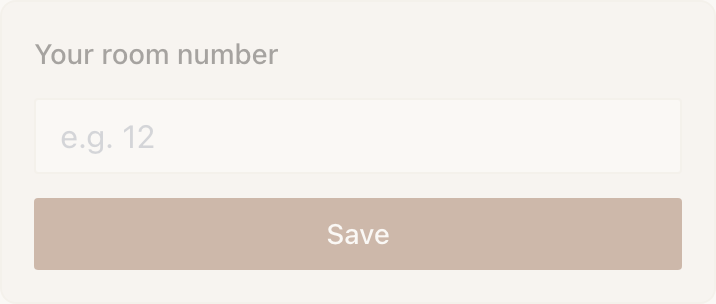
- Custom Input gives whatever the visitor types. Text, a number, or a value from a dropdown you defined. Pick it when the set of possible answers is open: every room number in a hotel, every registration in a car park.
Example
Marigold & Vine gets this wrong, then right
The restaurant wants to know which dish a guest came back for, and starts with a Custom Input labelled Your favourite dish.
Two weeks later the answers include four spellings of the same dish, three descriptions of a dish by its main ingredient, and one review. Nothing can be counted, and no rule can match against it.
Rebuilt as a Quick Choice with the eight dishes on the current menu, it counts on the first day and feeds a Conditional that shows returning guests what is new alongside the one they picked.
Button, or one of the one-tap Actions
A Button is a link with a label. It is free, it goes anywhere, and it is the right answer surprisingly often. It is the wrong answer whenever a block exists that does the specific thing, because those blocks do more than open a URL.

| Instead of a Button pointing at | Use | Because |
|---|---|---|
a tel: link | Call | It renders as a proper call tile, and takes an hours note so nobody rings at midnight. |
| a Google Maps page | Directions | It opens Apple Maps on iPhone and Google Maps on Android, in the native app, using coordinates rather than a guessed address. |
| a PDF | File | A PDF opens inside the Experience rather than in a browser tab, with a download link underneath. |
| your Calendly | Book | It reads as a booking tile and is counted as one in Stats. Enterprise. |
| a donation page you run elsewhere | Donate | The money settles to your Stripe account without the visitor leaving your page. |
| four links stacked up | Action Hub | Two to five outcomes in one block, each with the right behaviour for its kind. |
There is also a reporting difference. Actions are counted in Stats as taps, completions and fallbacks, so you can see how many people started something and how many finished. A Button is a link, and a link is a link.
Accordion, or several Text blocks
This one has a clean test. Ask whether a reader wants all of it or one bit of it.
House rules, allergens, ticket types, opening exceptions, frequently asked anything: the reader wants one row and does not care about the other eleven. That is an Accordion, and it is one block instead of a dozen.
A two-paragraph welcome, the story of an exhibit, the sentence about the shared kitchen: everybody should read it and it is short. That is a Text block, and hiding it behind a tap means it goes unread.
Donate, Pay and the Donation block
Three blocks, all free, all on Stripe, all settling into your own account. The difference is framing and shape.
| Block | Shape | Defaults to | Reach for it when |
|---|---|---|---|
| Donation | Inline, part of a longer page | A prompt, preset amounts, a thank-you message | The Experience is about something else and giving is one section of it. |
| Donate | A one-tap Action, or the whole page | Suggested amounts, no reference | Giving is the whole point of this Marker, and the amount is up to the visitor. |
| Pay | The same Action, framed as a purchase | One fixed price, reference on and labelled Room number | The visitor is buying a specific thing and you will need to reconcile it later. |
The reference field is the practical difference between Donate and Pay. If you will have to match a payment to a person, a room or an invoice, you want Pay with the reference required.
Image, or Photo Gallery
One Image is a statement. A Gallery is an invitation to browse. A hero shot, a diagram, a photograph of the control panel a guest is standing in front of: those are Image blocks, because they need to be on screen without a swipe.
Four views of a room, six dishes, the same shoreline in four seasons: those are a Gallery, because they are equals and the visitor picks. Stacking four Image blocks instead pushes everything below them off the screen.
A few more pairs worth knowing
| Pair | How to decide |
|---|---|
| Check-In or Geo Check-In | Check-In trusts the tap. Geo Check-In asks the phone where it is and checks a radius. Use Geo only when somebody has a reason to claim they were somewhere they were not: it costs a permission prompt. |
| Hours or Event List | Hours is a repeating weekly pattern with a live open or closed state. Event List is dated one-offs that hide themselves once they have passed. |
| 3D Model or View in AR | 3D Model is a Sketchfab embed the visitor spins on the page, free, and works on a laptop. View in AR places the object in the room through the camera, needs a .usdz and a .glb, and is Enterprise. Offering both means nobody meets a dead button. |
| Feedback Form or Review & Feedback | The Feedback Form embeds a Google Form and the answers stay in Google. Review & Feedback keeps the private note in your Audience, attributes it to a visitor and can notify your phone. |
| Name Capture or Lead Capture | Name Capture asks one thing and is remembered across your whole space. Lead Capture asks several at once, can deliver a file, and can refuse a second claim, but its answers stay on the Experience that collected them. |
| Welcome Back or Conditional | Welcome Back is two pieces of copy and no setup. Conditional is two whole sections and a rule you choose. If the difference is one sentence, use Welcome Back. |
| Map or Directions | A Map shows where something is to somebody reading at home. Directions gets somebody standing in your car park to the thing they are looking for, in their own maps app. |
Can I swap a block for a different one without rebuilding the page?
You add the new block, move it into position and delete the old one. Content does not transfer between block types, so copy anything you want to keep before deleting. Answers already collected stay in your Audience either way.
If two blocks both work, does it matter which I pick?
Usually only for what happens afterwards. Both a Button and a Call block will phone you; only one of them is counted as an Action in Stats. Both a Custom Input and a Quick Choice will collect a preference; only one of them produces answers a rule can match on.
Is there a penalty for having too many blocks?
Not a technical one. The cost is attention: a visitor standing in front of a Marker gives you a screen or two before they put the phone away. Choosing the block that answers the question in one tap is mostly a way of using that screen well.
Still unsure which block you want? Open one of the published demo Experiences and see the same choices made in a real page.
See the demos