The group note in the picker explains the family: what a visitor did on any Experience follows them across your whole space. All three carry the Memory marker, and none of them needs the visitor to install or sign into anything.
One answer, three jobs
You ask once
A Quick Choice block: 'First time here, or a regular?'
The answer is stored
{{visitor_type}}
Held on that visitor's device against this Experience.
It changes the words
Any block's copy can say {{visitor_type}} and it is filled in before the page renders.
It changes what appears
Show-and-hide rules test the answer, so a returning visitor never sees the orientation blocks again.
It shows up in stats
You can see how the answers split, which tells you who is actually tapping.
The three blocks
- Welcome BackStarter
- Greets first-timers and regulars differently. Fields: First visit and Returning visits: two pieces of copy, and the block picks. It can also count: write the visit number into the returning copy and a fourth-time guest is greeted as one.
- PassportGrowth
- Multi-stop progress with a reward at the end. Fields: a title, Stops, Require a check-in at each stop, Reward message and Reward code (optional). The stops are your other Experiences; the visitor collects them by tapping the Markers.
- Explore MoreFree
- Your other Experiences, with visited badges. Fields: a title, Which Experiences, and Badge the ones they have already visited. It is the free block in this group, and the one most pages should probably have at the bottom.
Welcome Back, and what counts as returning
A visitor is remembered per device, per browser, and per NearField account. The same phone tapping any of your Markers is the same person; a cleared browser, a private tab or a new phone is a new one. Phone verification, on Growth, reconnects somebody across devices with one text message.
Example
The Bellhaven Hotel: the lobby Marker on a second stay
The lobby Marker is the first thing a guest taps on arrival and the first thing they tap when they come back in March.
- First visit copy: Welcome to The Bellhaven. Here is everything in the building, and the two things people wish they had known on day one.
- Returning visits copy: Welcome back. Your usual table in the breakfast room is held until 9:30.
One block, two pieces of copy, and no work for the front desk. The alternative, a Conditional wrapped around two Text blocks, does the same thing with more moving parts, and is only worth it when the branches are longer than a sentence each.
Passport, and what it is really for
A Passport turns a set of Markers into a trail. Each stop is one of your Experiences; when a visitor reaches it, the stop fills in. At the end they get the Reward message, and a Reward code if you set one: the string somebody shows at a desk to claim something.
Require a check-in at each stop is the setting that decides how strict it is. Off, arriving at the Experience is enough. On, the visitor has to press the check-in themselves, which is slower and much harder to game.
Example
Cedar Hollow Zoo & Aquarium: the wetlands trail
Six Markers along the boardwalk, each already carrying its own habitat Experience. Cedar Hollow wants families to walk the whole loop rather than turning back at the third pond.
- One Passport block, added to the first Experience on the loop and to the last one.
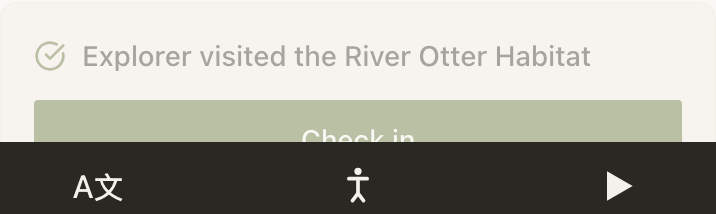
- Six stops, one per habitat Experience, with Require a check-in at each stop on: the reward is a real thing at a real desk.
- Reward message: You walked the whole wetlands loop. Show this at the Boathouse Kiosk for a free hot chocolate.
- Reward code: WETLANDS26, so the kiosk can tell a finished trail from a screenshot of somebody else's.
The other four Experiences on the loop do not need the Passport block at all. Visiting them is what fills it in.
Explore More, and where to put it
Explore More is the cheapest way to make a wall of separate Markers feel like one place. Pick the Experiences that make sense next, turn on the visited badges, and put it at the bottom of the page.
The badges are the part that earns it. A visitor who has seen four of your six exhibits can see which two are left, which is a far better prompt than a list they have to remember their way through.
Example
Ridgewood Museum of Natural History: the end of every gallery page
Nine gallery Experiences, each ending the same way.
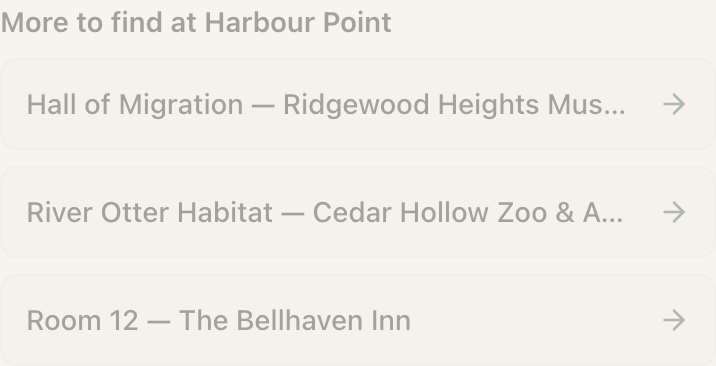
One Explore More block titled Still to see, listing the other eight, with Badge the ones they have already visited turned on. A visitor on their third gallery sees six unbadged rooms and picks one. A member on their twentieth visit sees eight badges and a quiet confirmation that they have done the lot.
Does a visitor have to sign up for any of this to work?
No. There is no app, no login and no account. The answers ride in a token on the visitor's own phone, scoped to your account, which is also why a different NearField customer's Markers cannot read them.
What happens if a visitor clears their browser mid-trail?
They start again as a new visitor, and the Passport is empty. On Growth, Verified Profiles fixes this: one text message and a one-time code, and any device that verifies the same number is treated as the same person, with their progress reconnected.
Can a Passport stop somebody claiming the reward twice?
Turn on Require a check-in at each stop, which makes each stop a deliberate act rather than a page load, and set a Reward code so the desk has something to check. The block is a progress tracker, not a voucher system, so treat the code as a prompt for a human rather than as security.
Can Explore More list an unpublished Experience?
It lists the Experiences you pick, but a visitor following a link to an unpublished one will not see a page. Publish first, then add it to the list.