Conditional sits alone in the Smart group because it is the only block that is about other blocks. It carries the Memory marker, needs Growth, and is the piece that turns a set of answers into a page that behaves differently for different people.
How the Conditional block decides
Then show
A Promo Box
“New here? Start at the otter deck. Feeding is at 11.”
Otherwise show
Nothing
The default. A returning visitor sees the page without this block, and nothing takes its place.
Both slots take a real block: Text, Heading, Image, Button, Promo Box, Map, Feedback Form, Quick Choice, Rating, Check-In, Geo Check-In, or Nothing. “Otherwise” also covers everyone who has not answered the question yet, which is every first-time visitor who has not reached it on the page.
How it is put together
- Answer to checkGrowth
- Which remembered answer the rule reads. Picked from the answer picker, which lists what this Experience can see: answers collected here, answers shared across this Project, and answers remembered everywhere.
- ConditionGrowth
- How to compare it. Seven conditions: is set, is not set, equals, does not equal, contains, visit count is at least, and has visited an Experience. The last two change the field below: one asks for a Minimum visits number, the other asks you to pick an Experience.
- Compare valueGrowth
- What to compare against. For a Quick Choice this is one of the options you wrote; for a Custom Input it is whatever the visitor typed.
- Then showGrowth
- The content a matching visitor gets, written in a compact inline editor. It handles a heading, some text, an image, a link and a call to action: enough for a branch, not a whole second page.
- Otherwise showGrowth
- The content everybody else gets. Filling this in matters more than it looks: leave it empty and a non-matching visitor gets a silent gap where the section was.
What it can check
Anything remembered about the visitor. The answer to a Quick Choice, a value from a Custom Input, whether a name has been given, how many times they have visited, and whether they have already been to a particular Experience.
Which answers appear in the picker depends on how each was scoped. An answer remembered on This Experience only shows up on that page; one remembered across This Project shows up on every Experience in it; one remembered Everywhere shows up on all of them. If a rule cannot see the answer you expected, the scope on the block that collected it is the first thing to check.
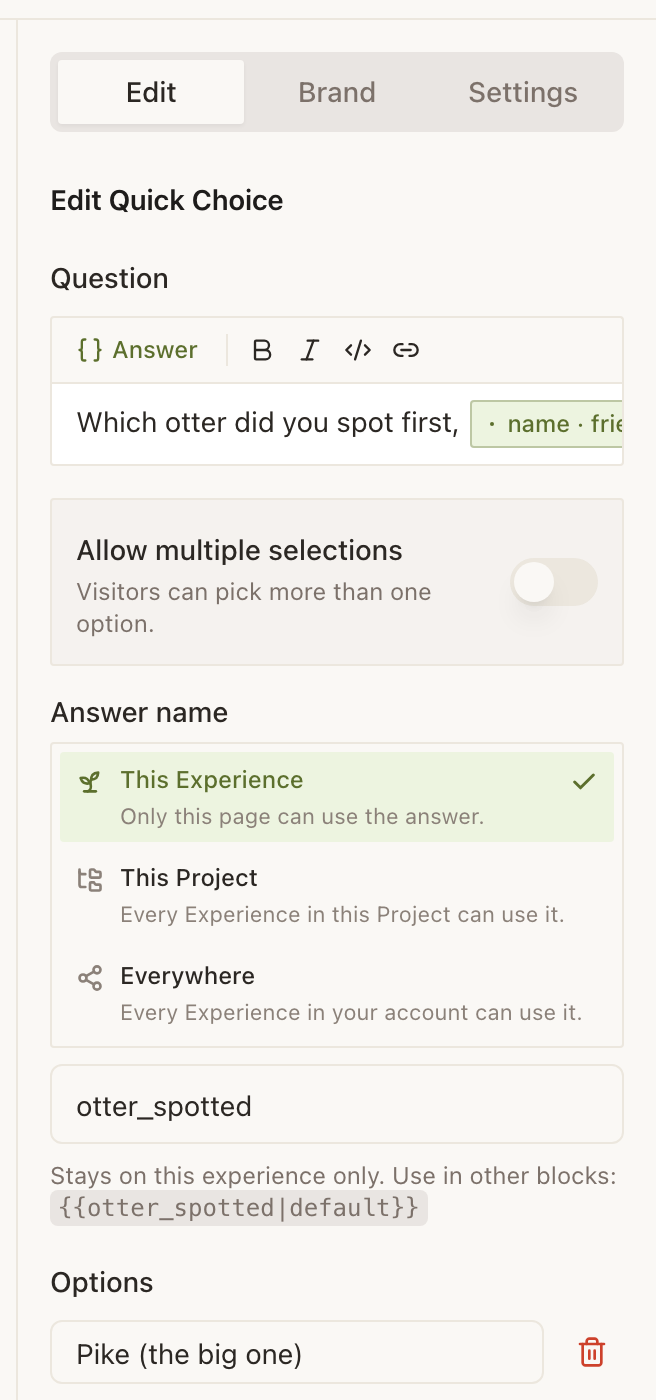
otter_spotted in its answer picker.Two worked rules
Example
The Bellhaven Hotel: one lobby Marker, two kinds of guest
The lobby Marker is tapped by somebody here to work and somebody here for a weekend, and the useful page is different for each.
- A Quick Choice at check-in asks: what brings you to The Bellhaven, with two options: Work and A break. The answer is scoped to Everywhere.
- On the lobby Experience, a Conditional checks that answer. Answer to check: the trip reason. Condition: equals. Compare value: Work.
- Then show is the meeting-room floor, the printing desk and the 6am breakfast. Otherwise show is the pool hours, the walking route along the river and the late checkout.
Same Marker, same wall, two pages. The alternative, two Experiences and two Markers, means twice the Markers and a guest choosing which one to tap.
Example
Cedar Hollow Zoo & Aquarium: the fourth visit
Members come weekly and have read the habitat copy many times. Cedar Hollow wants them to see what has changed instead.
- A Conditional on the entrance Experience, checking visit count with a minimum of 4.
- Then show: this week at Cedar Hollow, with the new arrivals and the two keeper talks that are not on the printed board.
- Otherwise show: the first-time orientation, with the map, the feeding times and where the toilets are.
A Welcome Back block would have handled the greeting. Conditional is the right block here because the two branches are whole sections rather than one sentence each.
Conditional or a show-and-hide rule
There are two ways to make content depend on a visitor, and they are not competitors. Every block in the builder has a visibility rule that hides it when a condition is not met. The Conditional block is for when there is something to show instead.
- One thing to show, or nothing: put a visibility rule on the block itself and skip Conditional entirely.
- Two different things, one per audience: use Conditional, and fill in both branches.
- Two long, rich sections: build them as ordinary blocks and put opposite visibility rules on each. The inline branch editor is deliberately small.
Why is my Conditional showing the wrong branch in the builder?
The builder preview starts as a brand-new visitor with nothing remembered, on purpose: otherwise opening your own Experience would show you a returning-visitor page and inflate your own stats. A rule that reads an answer will take the Otherwise branch there. Test it on a phone against the published page.
Can one Conditional check two things at once?
No. One block checks one answer against one condition. For a two-part rule, nest a Conditional inside a section that already has a visibility rule on it, or split the logic across two blocks.
What does a visitor see if they never answered the question?
The Otherwise branch. That is why leaving it blank is the most common mistake with this block: a visitor who walked past the question gets a gap rather than a page. Write the Otherwise branch first and treat the Then branch as the bonus.
Does Conditional work on the iOS app?
Yes, both to build and to preview, with the same fresh-visitor caveat as the web builder. The published page behaves identically wherever a visitor opens it.