Order first, point later
You do not have to have built anything to buy a Marker. The Marker is useful the moment it arrives because what it opens is a decision you can make afterwards, and change as often as you like. Everything in the shop is arranged around that: pick a face, buy it, decide later.
The loop
Build
Stack content blocks into an Experience. Free, and no card.
Preview
Open it on your own phone before anyone else sees it.
Publish
It gets a public link that works anywhere you can paste a URL.
Make it physical
Point a Marker at it and put the Marker where the question gets asked.
Then it starts again. Stats tell you which Markers get used and which questions visitors keep asking, you change the Experience, and the Marker on the wall is already pointing at the new version. Nothing gets reprinted.
If you do already know where a Marker should point, the checkout panel has a Where should it point? section. Paste a link, name it, and we create a published Experience that forwards there, so the Marker works the day it lands.
The two products
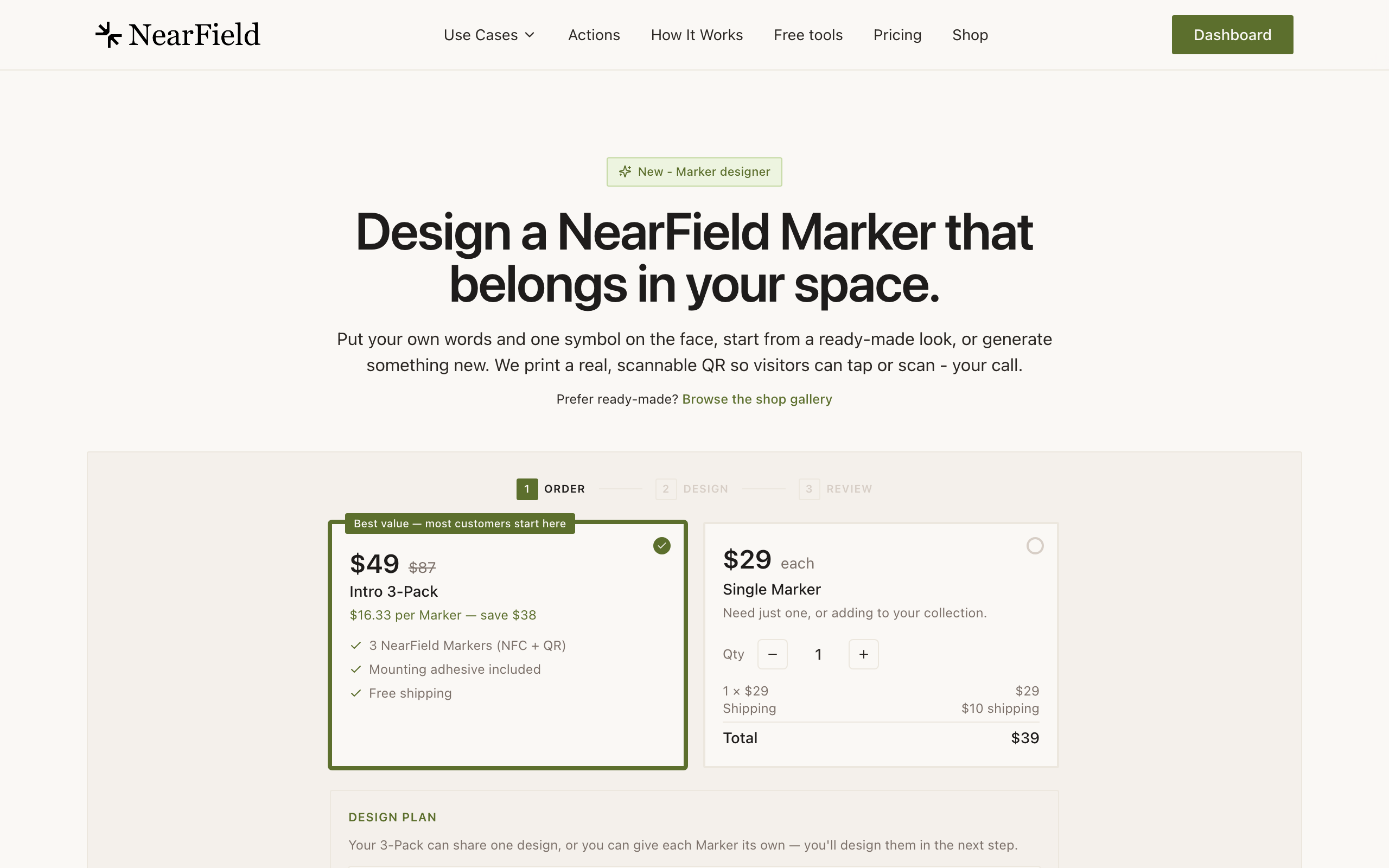
| Intro 3-Pack | Single Marker | |
|---|---|---|
| Price | $49 for three | $29 each |
| Works out at | $16.33 per Marker | $29 per Marker |
| Shipping | Free | $10 on an order of one or two. Free from three, where the pack price takes over |
| Designs | Any three, duplicates allowed | One design per Marker |
| Best for | A first order, or any three placements | Adding one or two to an installation that already exists |
Building a three-pack
- 1
Press Build your 3-Pack on the Shop page.
The gallery you are already looking at becomes the picker: every card swaps its button for Add to pack.
- 2
Pick any three.
A bar along the bottom holds three slots and a running total, counting down from $49 for any three. The same design twice is fine.
- 3
Adjust the total if you overshoot.
Picking a fourth tells you the pack is full and asks you to remove one from the bar to swap it out.
- 4
Add all three to the cart.
The button unlocks at three. In the cart, the first three Markers of any order are priced as the pack, and every Marker you add after them is $29. Shipping on an order of three or more costs nothing.
Ordering for a page you have built
Add Markers and Order Markers on an Experience open the Shop with that Experience already chosen, so the Markers arrive pointing at it. The Shop also opens on the category that fits it: hotel designs for a page built from a hotel template, museum designs for an exhibit, or the kind of place you picked when you signed up. It is only where the Shop starts, so pick another category or All at any time.
Checkout asks for an email for your receipt and tracking. Signed in, it is already filled in with your account's email, and you can change it if the receipt should go to someone else.
Ordering more than three
However many you order, the first three are priced as the Intro 3-Pack, every one after that is $29, and the whole order ships free. The cart holds up to ten Markers across designs, and Buy now on a single ready-made design takes up to fifty. Above that, email hello@getnearfield.com and we will set up a bulk order rather than have you place several. The order wizard inside your account is the better route for a larger, mixed order, because it walks you through the faces one Marker at a time with a chip strip tracking which are done.
Example
Cedar Hollow's first order
Cedar Hollow starts with one Intro 3-Pack: the otter habitat rail, the trail head, and the ticket window. $49 delivered, three faces, and no commitment to what any of them opens. Three weeks later they order twelve more for the rest of the trail, reusing the same face design so the whole park matches. The first three of that order are priced as a pack and the other nine are $29 each, so it comes to $310 with free shipping.
Can I mix tap-and-scan and QR-first Markers in one order?
Yes, including inside a single three-pack. They are the same Marker with a different face.
What if I do not know where a Marker should point yet?
Leave the destination empty. The Marker arrives unlinked, shows a polite holding page if anyone taps it, and takes about ten seconds to point once you decide.
Do you ship outside the United States?
Not today. Checkout collects US addresses only.
Can I use a promotion code?
Yes. There is a field for it at Stripe checkout.
Sixty-three designs, three for $49.
Open the Marker Shop