How the catalogue is organised
The Shop gallery filters on two rows. The first is the category, the second is how the Marker opens. A count line under the filters tells you how many designs are still showing, so a pair of filters that matches nothing is obvious rather than mysterious.
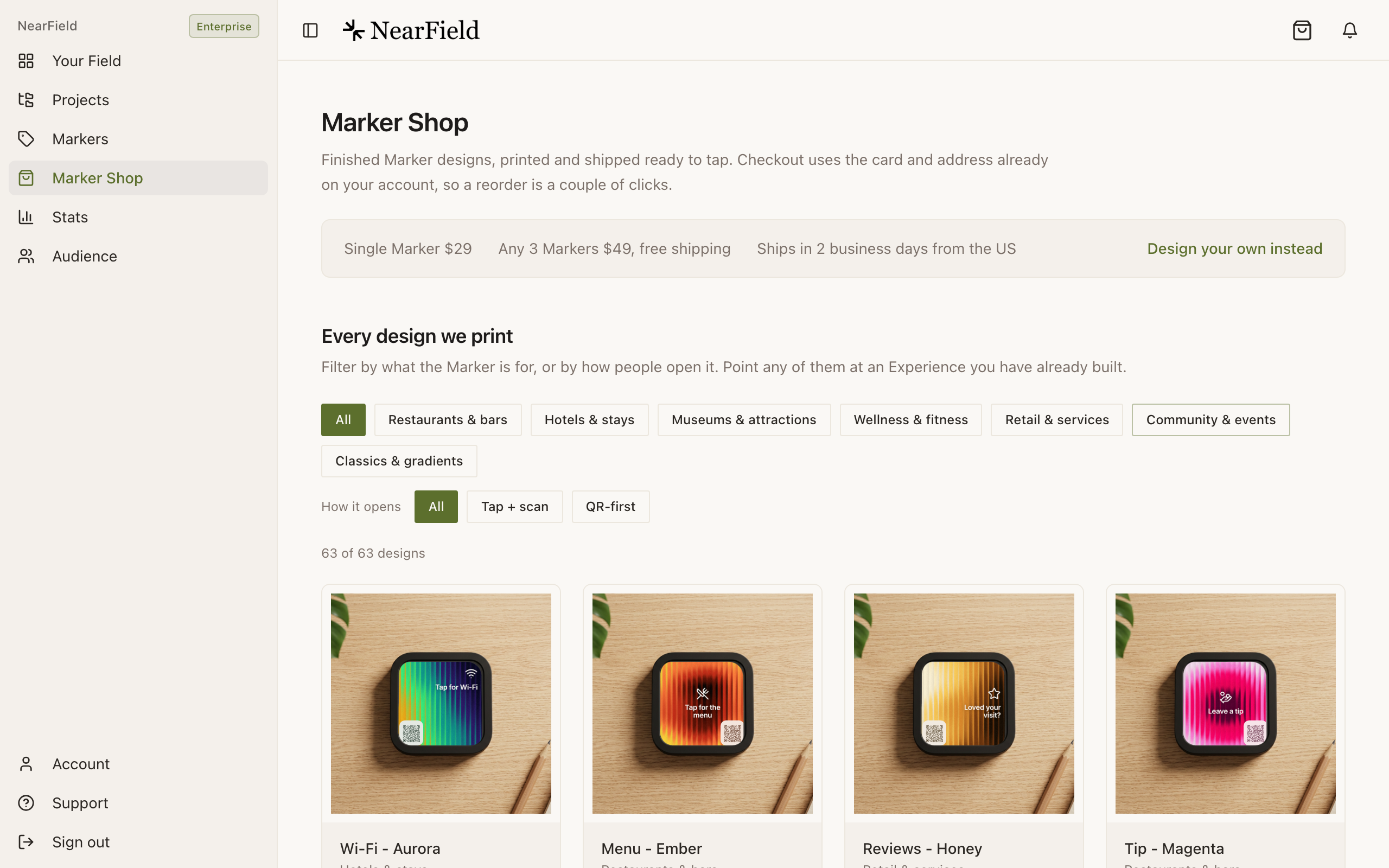
| Category | Designs |
|---|---|
| Restaurants & bars | 10 |
| Hotels & stays | 8 |
| Museums & attractions | 10 |
| Wellness & fitness | 3 |
| Retail & services | 11 |
| Community & events | 13 |
| Classics & gradients | 8 |
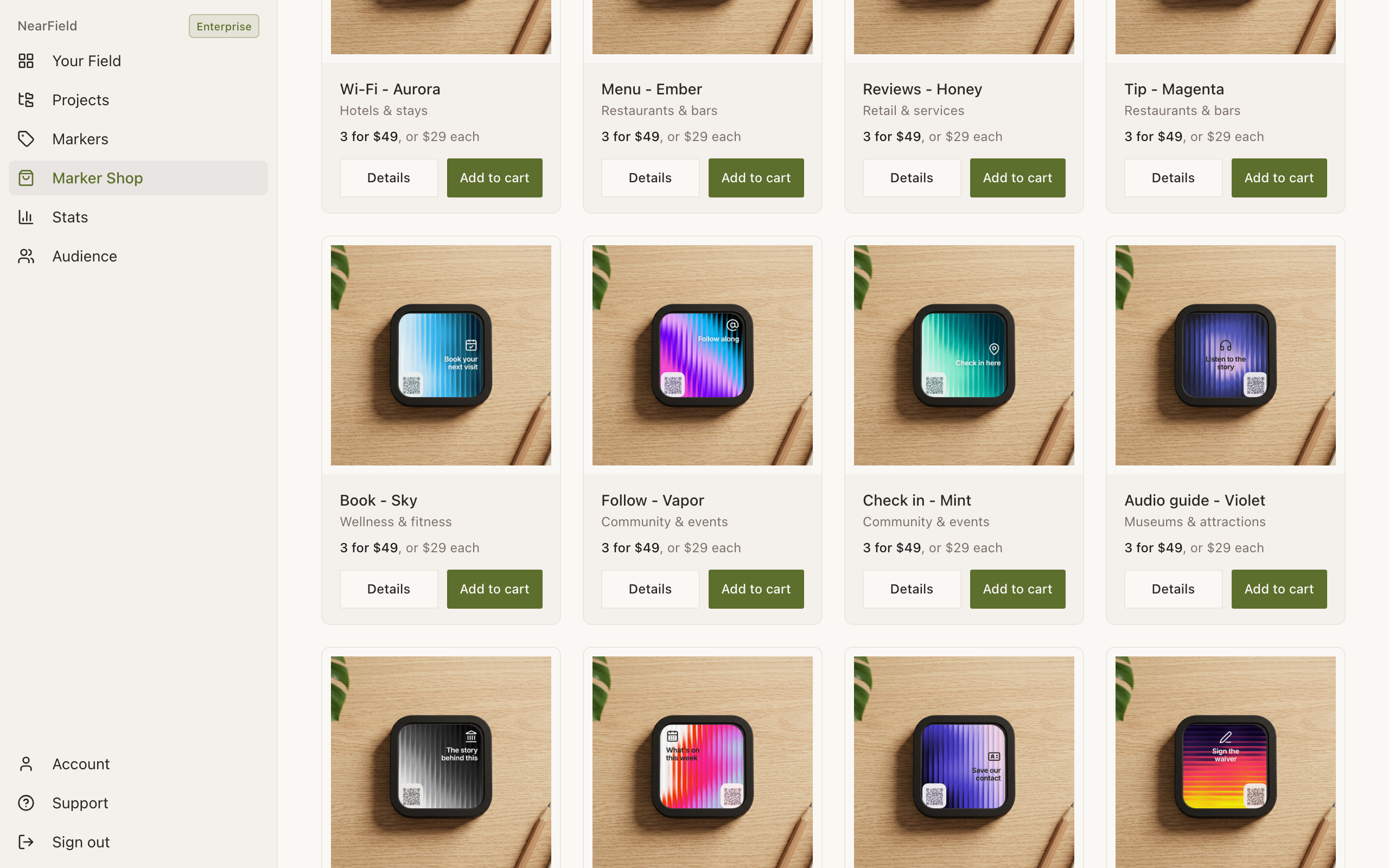
The four families
- Tap-and-scan faces (25)
- An icon, a headline and a corner QR on a coloured or fluted background. Fully adjustable: change the words, move them, switch the ink, move or resize the QR.
- QR-first looks (25)
- A badged code that fills the face. You can change the code style and the logo in the middle of it; the layout itself is the design.
- Illustrated faces (5)
- Finished artwork: a restaurant table setting, a hotel room key, a gallery label, an open house, a wedding. Because the art is fixed, the studio offers QR controls only.
- Gradient classics (8)
- QR-first designs left deliberately unbadged so that your own logo, dropped into the middle of the code, is the only mark on the Marker.
Use one as a starting point
- 1
Browse the gallery.
From the Shop, or from Browse the gallery inside Marker Studio, which opens the same sixty-three designs in a dialog.
- 2
Open a design.
Its page shows the face at size, what ships in the box, and a compact studio for the parts of that design you can change.
- 3
Make it yours.
On a tap-and-scan face that means the headline, its position, the ink and the QR. On a QR-first look it means your logo and the code style. On illustrated art it means the QR alone.
- 4
Buy it, or take it into the full studio.
Design your own instead carries the design across into Marker Studio, where every other control is available.
Every design also names the kind of content it pairs with. The Wi-Fi face suggests a Wi-Fi Action and the Reviews face suggests a review request, so a design you like is also a hint about what to build behind it.
Example
Marigold & Vine picks three
Marigold & Vine builds an Intro 3-Pack from three catalogue designs: Menu - Ember for the table edges, Reviews - Honey for the counter by the door, and Follow - Vapor for the window. Three faces, three jobs, one order, and each one keeps the restaurant's own headline rather than the stock line.
Can I order the same design more than once?
Yes, including inside a single three-pack. Duplicates are allowed and each Marker still gets its own unique code.
Are catalogue designs cheaper than a custom one?
No. Every Marker is $29, or $49 for three, whatever is printed on it.
Why can I not change the words on an illustrated design?
Because the words are part of the artwork rather than a layer on top of it. If you want that look with your own words, start from Text and icon in the studio and pick a matching background.
Do new designs get added?
The catalogue grows. A design you ordered before stays orderable, so a second batch matches the first.