During the free trial
While your trial runs there is no subscription to cancel yet. Open Your plan from the banner on your dashboard or from Account → Your plan, and pick Starter or Growth for day 14, or press Don't start a plan. Nothing is charged before day 14. See how the free trial works.
Upgrading
- 1
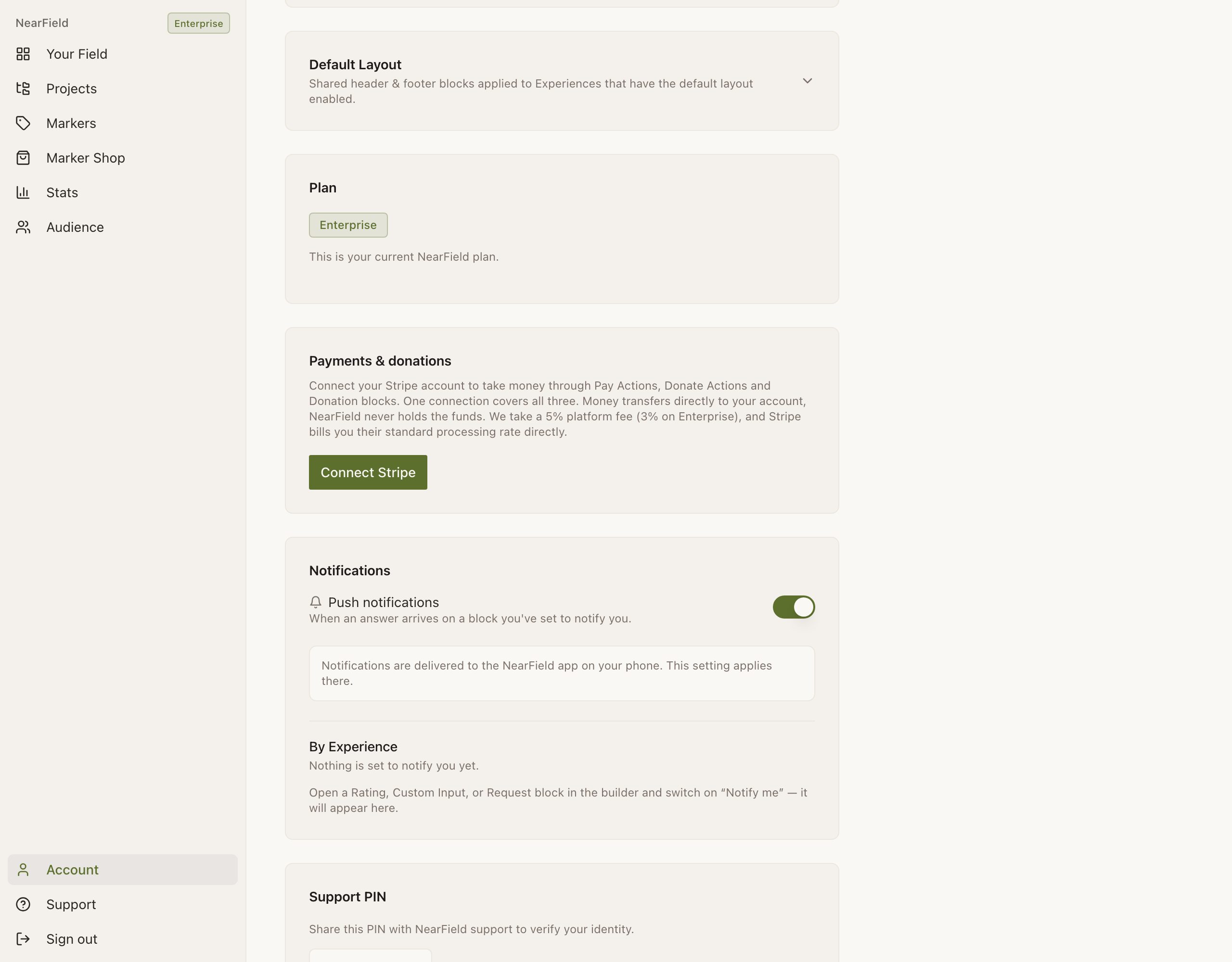
Open Account
From the sidebar on the web, or the account icon in the app header. The Plan section shows your current tier.
- 2
Press Upgrade
It is hidden on Enterprise, because there is nowhere further up to go.
- 3
Pick monthly or annual
On the web there is a toggle, and annual takes 20% off. In the app there is no toggle: Apple sells the monthly plans only, and annual pricing is a web checkout.
- 4
Pay
On the web, Stripe. Promotion codes can be entered at checkout. In the app, Apple bills your Apple ID straight away and the plan appears in NearField within a few seconds.
Managing an existing plan
The Manage Billing button on Account appears once you have a subscription, and it sends you to whichever system holds it.
| Bought | Manage Billing opens | What you can do there |
|---|---|---|
| On the website | The Stripe billing portal | Change plan, update the card, download invoices, cancel |
| In the iPhone app | Apple's subscription settings | Change plan, cancel, see the renewal date |
On a phone the Stripe portal opens in the system browser rather than inside the app, which is normal and required. You come back to NearField when you are done.
Cancelling
- 1
Open Account and scroll to the bottom
The Cancel subscription button sits in the danger zone.
- 2
Press it
It takes you to the same place Manage Billing does: the Stripe portal, or Apple's subscriptions. NearField does not cancel on your behalf.
- 3
Cancel there
You keep the plan you paid for until the end of the period you already paid for.
The same is true of a downgrade from Growth to Starter: nothing is unpublished, and the Growth blocks are hidden from visitors. If you are moving down deliberately, tidy up first, and decide which Experiences matter rather than discovering the decision later.
If Manage Billing says you have no customer
If you have a paid plan and the button reports "No Stripe customer found", the usual cause is that your billing email and your NearField sign-in email are different addresses. Email hello@getnearfield.com with both and we will reconnect them.
I bought on the web but I am on my phone. Where do I cancel?
Anywhere. The button opens the Stripe portal in the phone's browser, and cancelling there is the same as cancelling on a laptop.
Can I switch from monthly to annual?
Yes, from the Stripe billing portal, for a plan bought on the web. Apple sells monthly only, so switching to annual means moving your subscription to the web.
What happens to my Markers if I cancel?
The hardware is yours, and the Markers keep pointing at whatever they already point at. What you lose is the allowance to place new ones past three.
I'm on the trial. How do I cancel?
There is no subscription yet. Open Your plan and press Don't start a plan, and nothing is charged on day 14. Your pages stay live and your Markers keep working.
Can I delete my account entirely?
Yes, from the danger zone on Account. It removes your profile, Experiences, brand settings and audience data, cancels any active subscription, and cannot be undone. See account security.