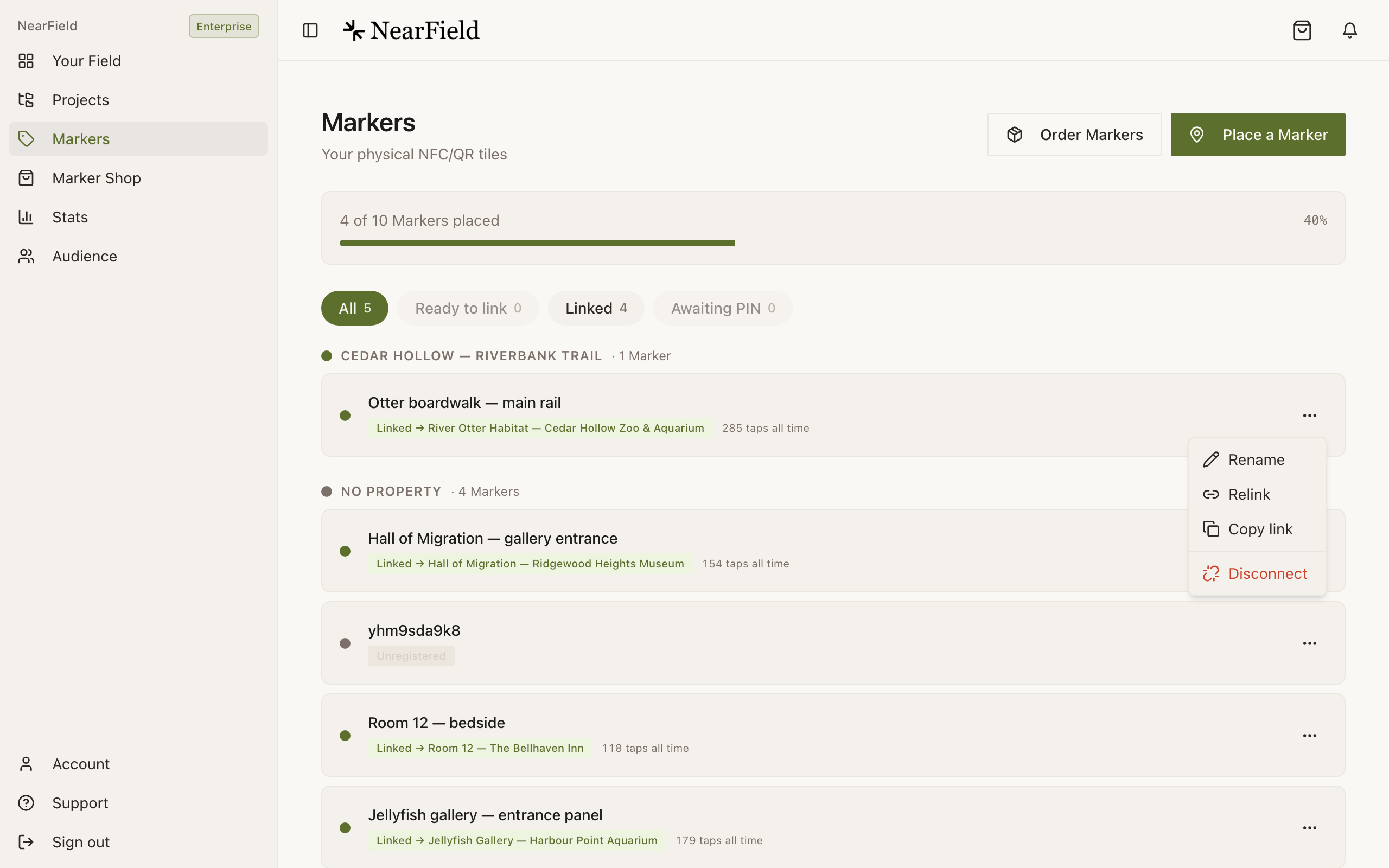
A Marker holds a web address, and that address is not your Experience. It is the Marker's own permanent address, which NearField resolves at the moment of the tap into whatever you have most recently pointed it at.
What a tap does
A phone touches the Marker
Or the camera reads its QR code. No app, no account, nothing to install.
The Marker's own address opens
/m/{marker}?src=nfc
This never changes. It is printed into the chip and the code at the factory.
NearField looks up what it points at
This is the part you control, and the part you can change at any time.
Your Experience renders
/view/{experience}
Counted as a visit, with the tap or scan recorded against that Marker.
Why the indirection exists
If a Marker carried the address of an Experience, then changing what it opens would mean reprinting the Marker. Because it carries its own address instead, the Marker on the wall outlives every piece of content you will ever put behind it. That is the whole argument for physical hardware over a printed QR code you generated once.
Tap and scan are the same journey
The NFC chip and the printed QR code carry the same Marker address. The difference is only how the phone got there, and NearField records which it was so you can compare them later.
| NFC tap | QR scan | |
|---|---|---|
| What the visitor does | Holds the top of the phone against the Marker | Points the camera at the printed code |
| What they need | An iPhone from the last several years, or an Android with NFC switched on | Any phone camera |
| Extra step | iOS shows a banner that has to be tapped once to open the page | The camera shows a link that has to be tapped once |
| Recorded as | A tap | A scan |
Where a visit gets attributed
Every arrival is filed under one of three sources, which is what lets you tell a wall Marker apart from a link somebody forwarded.
- nfc
- A physical tap on the chip. This is also the default for anything ambiguous, because a Marker address is only ever reached from a physical object or a copy of one.
- qr
- A camera scan, whether of the printed code on the Marker or a QR you generated in the builder. Stats shows the second kind as Builder QR, because no Marker is behind it.
- direct
- A link that travelled: copied, pasted, emailed, texted or posted.
The Marker itself is recorded alongside the source, so an Experience that ten Markers point at still reports ten separate rows. More on the counting rules in what counts as a visit.
When a tap does not land
There are exactly two dead ends, and they say different things on purpose.
| What the visitor sees | What it means | What to do |
|---|---|---|
| “We don't recognise this Marker” | Nothing in NearField answers to that address. | Usually a mistyped URL. If the Marker is yours, sign in and register it again. |
| “This Marker hasn't been set up yet” | The Marker is real and registered, but points at nothing. | Open Markers and link it to a published Experience. |
A third case looks like a dead end and is not: a Marker pointed at an Experience you have unpublished shows a short “not available” page. Publish the Experience again and the same Marker works, with no changes to the Marker.
Example
Harbour Point Aquarium
Harbour Point runs a Marker at each tank. In February the jellyfish Marker pointed at a species page; in March the tank went into maintenance and they pointed the same Marker at a short apology with a map to the open exhibits. Nobody visited the tank, nothing was reprinted, and the Marker's history, 47 taps across two Experiences, stayed in one place.
Why did a visitor see the old page after I changed the link?
Resolution happens at the moment of the tap, so it should not be possible. Nearly always it is the phone's own back-forward cache, from having opened the Marker minutes earlier. Reload the page and check again.
It works on my phone but not on my colleague's.
Check whether their phone has NFC turned on (that is an Android setting) and whether they held the top of the handset against the Marker rather than the middle. The printed QR code is the fallback, and works everywhere.
Can I see the address a Marker carries?
Yes. Copy link on any row in the Markers area gives you the exact address the chip and the QR both hold.
Does the visitor's phone install anything?
No. A tap opens a web page in the browser they already use. Nothing is downloaded, and nothing is left behind unless they accept cookies on your page.