A draft Experience is invisible to everybody but you. A Marker pointed at one has nothing to open, and the public link returns a short unavailable page. That is what makes previewing free of consequence.
The loop
Build
Stack content blocks into an Experience. Free, and no card.
Preview
Open it on your own phone before anyone else sees it.
Publish
It gets a public link that works anywhere you can paste a URL.
Make it physical
Point a Marker at it and put the Marker where the question gets asked.
Then it starts again. Stats tell you which Markers get used and which questions visitors keep asking, you change the Experience, and the Marker on the wall is already pointing at the new version. Nothing gets reprinted.
1. The column in the middle
The phone frame in the builder is not a mock-up. It runs the real renderer, at real phone width, with your real theme and your shared header and footer if you have them switched on. It updates as you type, and clicking a block in it selects that block for editing.
What it cannot tell you is how the page feels at arm's length, how long the scroll is with a thumb, or whether the text survives daylight. For that you need the second option.
2. The one-hour phone link
- 1
Press Preview in the top bar
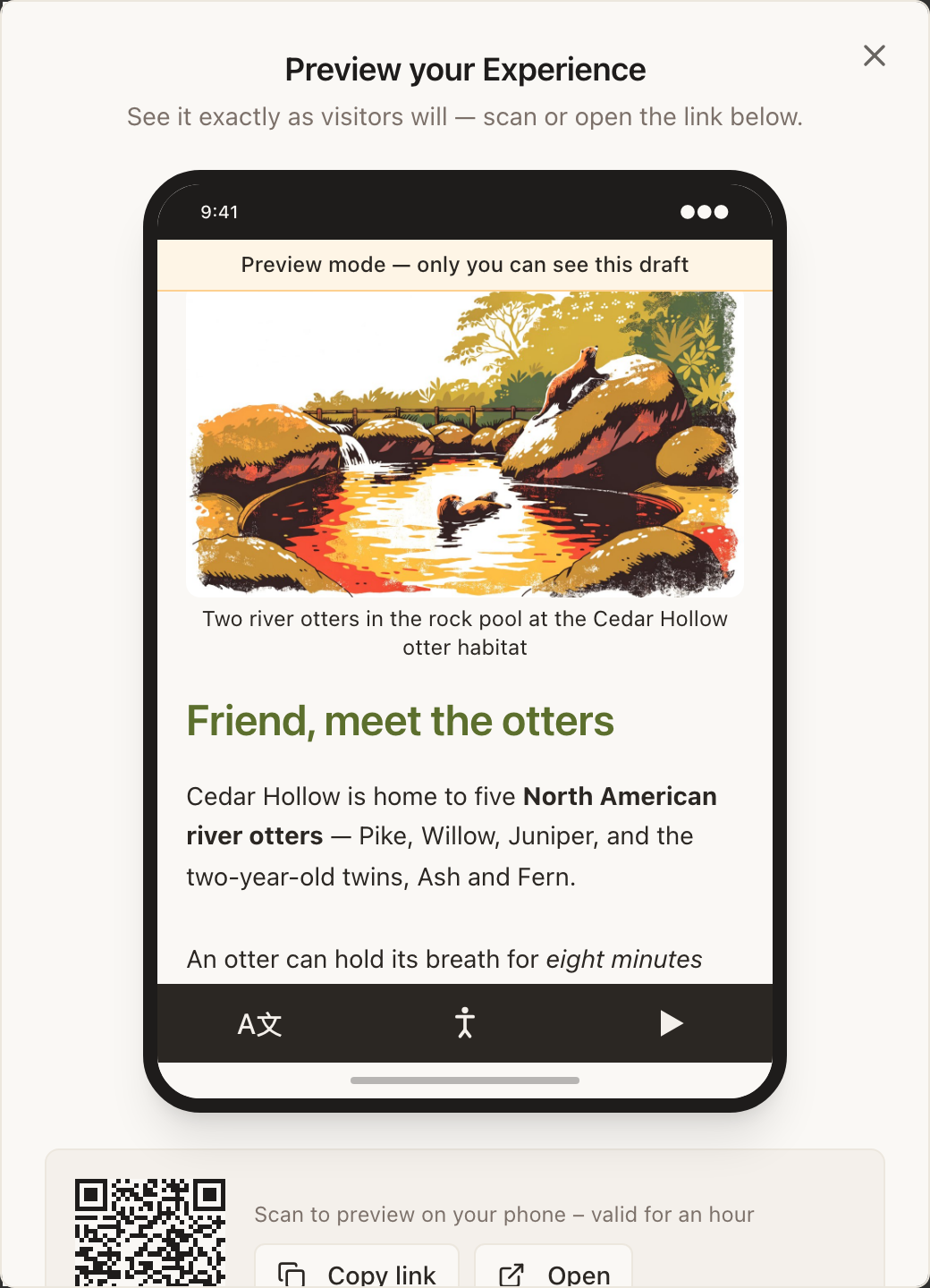
The panel is headed “Preview your Experience” and holds a live frame plus a QR code.
- 2
Scan the QR with your phone
It mints a public preview link that lasts an hour: long enough to walk the building, short enough that a forwarded link cannot become a leak.
- 3
Walk to where the Marker will go
Read the page standing where a visitor will stand. This is the step that changes the most drafts.
3. The preview route
A draft opened this way carries a banner reading Preview mode: only you can see this draft, so nobody mistakes it for the live page. The address is the preview form, /preview/abc123defg, while the published page is /view/abc123defg.
What preview does not show you
Preview is deliberately generous to the owner, which means a few things behave differently from the real thing:
| Thing | In preview | For a visitor |
|---|---|---|
| The cookie banner | Skipped, so you can see the page immediately | Shown first, with the page dimmed behind it |
| A PIN lock | Bypassed for you | Asked for before anything else renders |
| Phone verification | Any six digits are accepted, and no text is sent | A real code, texted to a real number |
| Cookie settings and Forget me | Hidden from the Adjust menu | Both present |
So a preview will not tell you whether your consent copy reads well or whether your PIN challenge message makes sense. For those, publish to a link, check on a phone, and unpublish if you are not ready.
A pre-publish checklist
- Read every block on a phone, not a monitor.
- Tap every button, including the ones that leave the page.
- Check the first two blocks answer the question a visitor is standing there asking.
- Turn on high contrast in the Inclusion Bar and read it again.
- Switch a language in the Inclusion Bar and check nothing important was baked into an image.
- If the Experience uses show-and-hide rules, look at it as a stranger: private window, or Forget me.
Does previewing count as a visit in my stats?
Your own preview traffic is not what the numbers are for. Check what counts as a visit for the exact rules on which arrivals are counted.
Can I preview from the iPhone app?
Yes. The app's builder has the same Preview button, and the preview opens in the app.
The preview link says it is unavailable.
It expired: they last one hour. Reopen the Preview panel and scan the fresh code.