Both features live in the Inclusion Bar at the bottom of a published Experience. Neither needs anything from you beyond writing the page once, in your own language.
The 20 languages
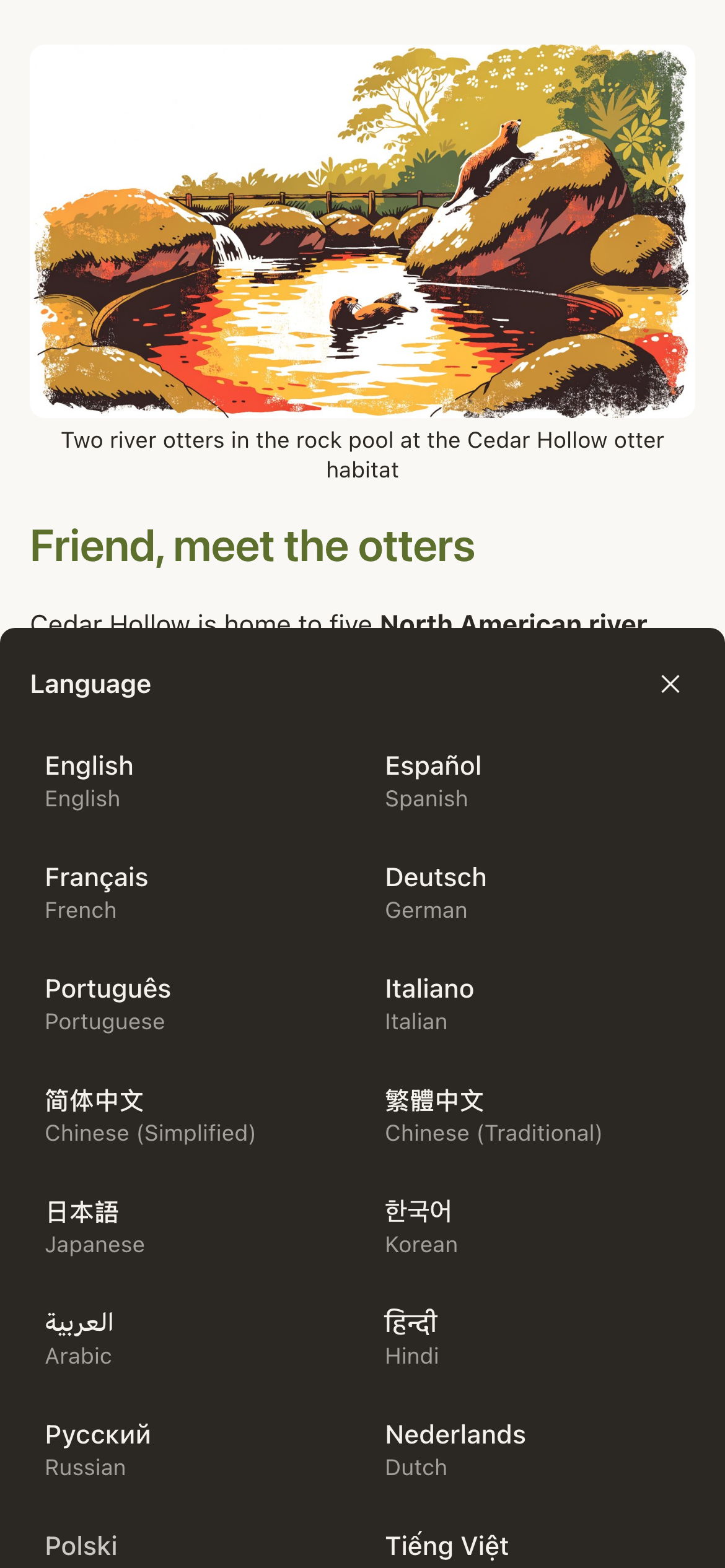
The picker lists exactly 20, each shown in its own script with the English name beneath. English is one of the 20, it is the source language and the reset option, which leaves 19 translation targets.
| Languages | |
|---|---|
| Europe | English, Spanish, French, German, Portuguese, Italian, Dutch, Polish, Swedish, Russian, Ukrainian |
| Asia | Chinese (Simplified), Chinese (Traditional), Japanese, Korean, Hindi, Vietnamese, Thai |
| Middle East and beyond | Arabic, Turkish |
What gets translated
Two things, both automatically:
- Your content: headings, text, captions, alt text, button labels, question prompts, answer options, thank-you messages, and both branches of a show-and-hide rule. Shared header and footer blocks are translated in the same pass.
- The furniture: the words NearField itself puts on the page: Continue, Save, Clear, Check in, Try again, the consent panel, the PIN prompt.
What does not get translated
| Not translated | What to do about it |
|---|---|
| Words baked into an image | Put the words in a text block above the image instead. |
| The contents of a PDF or a downloaded file | Upload a second file, or say in the block which language it is in. |
| Video and audio you uploaded | Add a transcript in a text block underneath. |
| What a visitor types | Nothing: visitor-typed text is deliberately never sent for translation. |
| An external site you link or redirect to | Nothing we can do. It is somebody else's page. |
Read-aloud
Read-aloud is set per Experience, in the builder's Settings tab, under Text-to-speech voice. Five options:
- Off
- The Listen control is hidden from the Inclusion Bar entirely.
- Adult Female
- The most-used setting, and a safe default for most venues.
- Child Female
- A lighter voice, chosen most often for children's trails.
- Adult Male
- The counterpart to Adult Female.
- Child Male
- The counterpart to Child Female.
Every one of the 20 languages has a voice, so a visitor who switches to Japanese and presses Listen hears the page in Japanese, not English with an accent.
What it reads
Exactly what is on screen, in the order it appears. That means it narrates the branch of a show-and-hide rule the visitor actually got, their name where you have used it in a greeting, the current language, and your shared header and footer. It skips placeholder text inside empty form fields, because nobody wants to hear the word “placeholder” read out.
Writing for both
- Short sentences. They translate more accurately and they read aloud better.
- Spell out abbreviations the first time. “2/F” is unreadable in both directions.
- Avoid puns and idioms. They are the first thing machine translation destroys.
- Write times and dates in full. “Feeding at 2pm daily” survives; “2” next to a picture does not.
- Say the thing. Copy that depends on the layout to make sense will not survive being read aloud in a different language.
Example
Ridgewood Museum of Natural History
Ridgewood's audio-tour stops carry three paragraphs each, set to the Adult Female voice. The curator's original text used dashes and parenthetical asides heavily, which read beautifully on the page and terribly aloud. Rewriting them as short sentences improved the printed version too, which is generally how this goes.
Can I supply my own translation?
Not as an override. If a specific phrase matters enormously, write it in the source language in a way that translates cleanly, or add a short second block giving it in the other language directly.
Can I upload my own recording instead?
Yes: the audio block plays a file you upload, and it is the right choice for a curator's own voice. Read-aloud is for the whole page, in any language, without you recording anything.
Does read-aloud cost extra?
No. Translation and read-aloud are both on every plan, including free.
A visitor says translation stopped working.
There are per-visitor rate limits to keep the service fair, and a very heavy session can hit one and see a slow-down message. Waiting a minute clears it.