Nothing has been lost. Everything a visitor submits is written to your Audience the moment they press the button, with the Marker that captured it attached.
Where the data actually is
- 1
Open Audience
Go to Audience. The Overview tab counts people met, names known, contactable visitors and answers collected for the period you pick.
- 2
Use the Timeline tab to find a specific submission
Every answer is a row: the question, the value, the time, the visitor and the Experience it came from. Filter by Experience, or search the answer text directly.
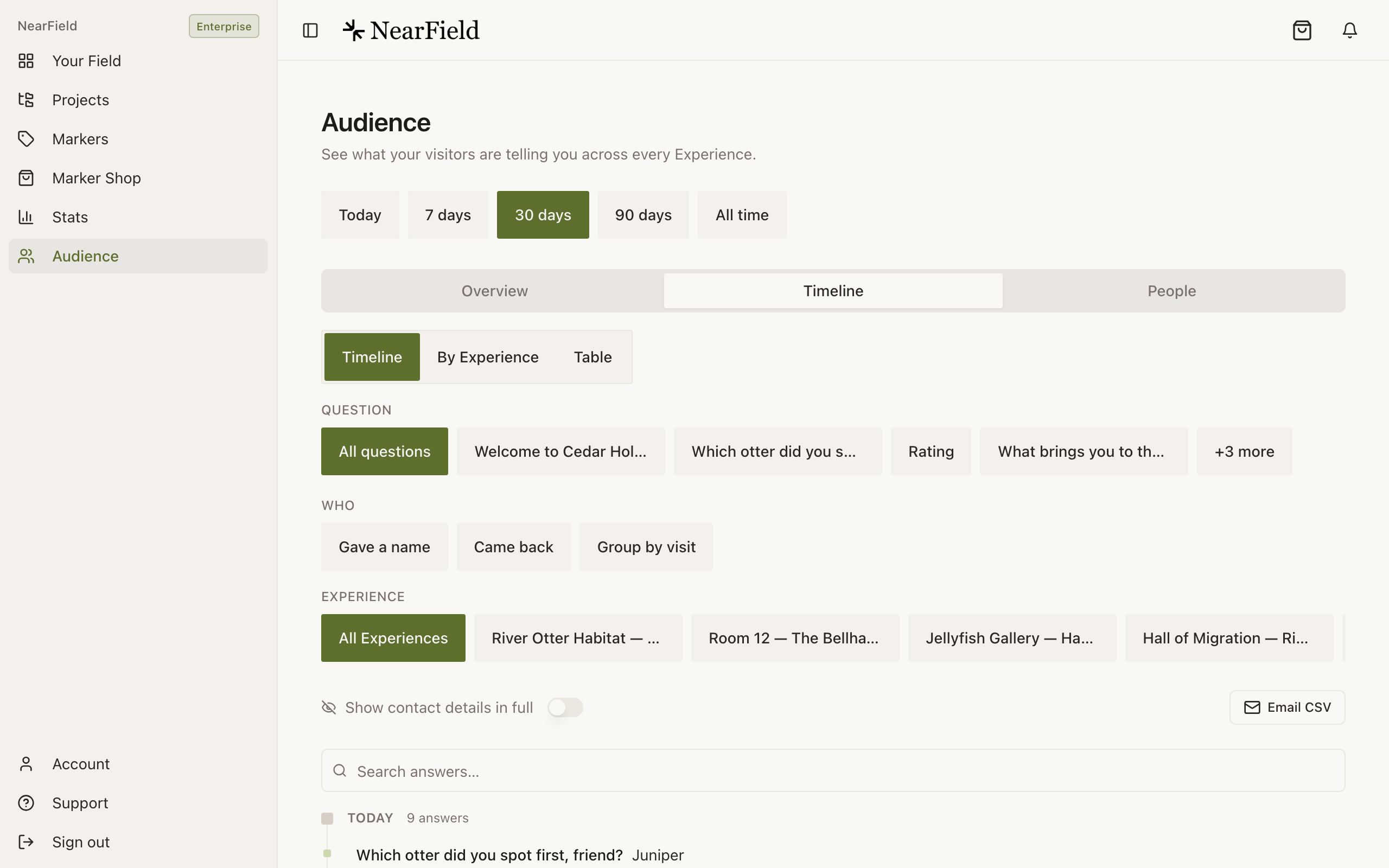
The submission you are hunting for is a row here, tagged with the Experience that captured it. - 3
Use the People tab for contact details
Reachable lists everyone who left a name, email or phone number. Switch on Show contact details in full to read them, and Email CSV to send yourself the list. Tapping a row opens that visitor's whole history.
What does alert you, and why it might be silent
The channel that actively reaches you is a push notification to the NearField app on your phone (a Request set to Straight to me and each lead are also emailed to you). The push has to be switched on in two places, and there are three separate ways for it to be off.
- 1
Switch on Notify me for the block
Open the block in the builder and find When someone answers. Turn on Notify me. On a Lead Capture block the same control is called Send to the NearField app, sits inside the block's own editor, and also emails you a copy of each lead. A Request block set to Straight to me always notifies, and also emails you.
- 2
Install the app and sign in on your phone
Push goes to the NearField app. There is no browser notification and no SMS to you.
- 3
Check Account → Notifications
Three things must all be true: iOS is allowing notifications, this device is registered, and the master switch is on. That screen states each one plainly. Under By Experience you can also mute one Experience without muting the rest.
Every alert also lands in the in-app inbox behind the bell, so a push that arrived while your phone was off is still waiting there.
Two settings that look like alerts and are not
- Request → "Visitor texts me" or "Visitor emails me"
- These open the visitor's own messaging or mail app with the request already written, addressed to you. It reaches you only if the visitor presses send, and you have no way of knowing when they do not. Choose Straight to me instead so the request reaches the NearField app and your email the moment they tap.
- Lead Capture → "Send it by" email or text
- That is delivery to the visitor: the brochure, the price list, the PDF they asked for. It never sends anything to you. Your copy of the lead comes from Send to the NearField app, by push and by email, and every lead is in Audience.
- A Feedback Form block
- That is an embedded Google Form. Its submissions go to your Google account and never touch NearField, so they will not appear in Audience at all.
- The weekly digest
- A summary of the week's activity. It is a digest, not an alert, and not the place to catch a room-service request.
If a specific submission is genuinely missing
- Check the visitor accepted cookies. A visitor who chose Essential only can still read the page, but personalisation is off and capture blocks stop rather than storing anything.
- Check the date range on Audience. Starter accounts see Today and 7 days; a submission from last month is outside the window rather than absent.
- Check the right Experience. Answers are attributed to the Experience they were given on, which may not be the one you are thinking of.
- Check whether the block has a One submission per person gate. A repeat visitor is recorded and shown your repeat message, and the file is deliberately not sent a second time.
Example
The Bellhaven Hotel: towel requests that never arrived
Housekeeping had a Request block set to Visitor texts me, to the front desk, and reception swore nothing came through. The requests were all in Audience: guests tapped the button, saw their message app open, and put the phone down. Switching it to Straight to me sent every request to the duty manager's app and the front-desk email, with nothing left for a guest to finish.
If none of that worked
Tell us the Experience, the block, and roughly when the visitor submitted. Include the Support PIN from your Account page. We can check whether the submission reached us and whether a notification was attempted.
Will you build an email alert to my team?
Leads are already emailed to your account address (from Lead Capture, or a Name, Email or Phone Capture block with Notify me on), and so are Requests set to Straight to me. For the other blocks it is on the list and not built yet. Until it ships, the app notification is the channel that actually sends, and Audience is where every submission is kept.
Can I export what has been collected?
Yes. Both the Timeline and the People tab have an Email CSV button that sends the list to you.
A visitor answered twice and I only see one value.
You have both. A repeat answer is added rather than overwriting: the visitor sees their newest, and you keep every one.
Set up notifications once and the next submission reaches your phone as it lands.
Open Account settings