The likely cause is simply that it has not been relinked yet. Building a new Experience does not move any Marker onto it: the two steps are separate on purpose, so a half-finished draft never goes live on a wall by accident.
Why the Marker does not need reprinting
The life of a Marker
- 1
Ordered
Picked from the Shop and on its way. Ships from Tampa.
- 2
Registered
You enter the six-character PIN printed on the back. Now it is yours.
- 3
Linked
Pointed at one of your published Experiences.
- 4
Placed
Mounted where the question gets asked. Taps and scans start counting.
- 5
Relinked
Pointed somewhere new whenever you like. Same Marker, same wall, new content.
Step five is the one worth remembering. Nothing about the physical Marker changes when you relink it: the chip and the printed code still carry the same address they left the factory with. Only what that address points at moves.
The chip and the printed code both carry the Marker's own address. When a phone opens it, NearField looks up what that Marker points at at that moment and forwards the visitor there. Change the link and the very next tap lands somewhere new.
Relink it from your dashboard
- 1
Open Markers
Go to Markers. Use the filter chips (Linked, Ready to link, Awaiting PIN) if you have a lot of them.
- 2
Find the right row
Rows show the Marker's name, or its code if you never named one. If you are unsure which physical Marker a row is, the PIN on the back is the reliable match.
- 3
Open the row's actions menu and choose Relink
Pick the Experience it should open, then confirm. You will get a Marker relinked confirmation.
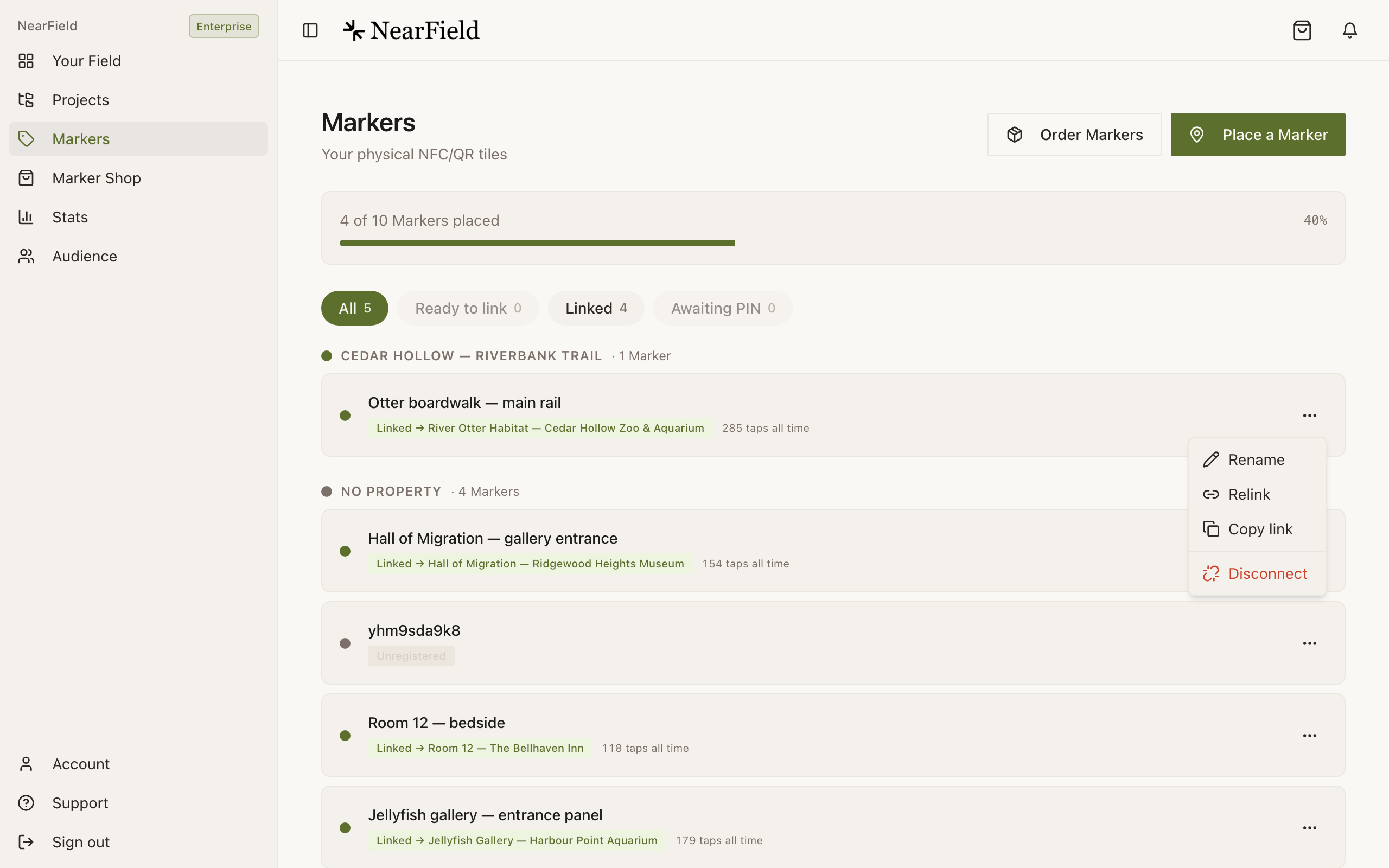
Relink is the item you want. Disconnect below it points the Marker at nothing at all. - 4
Tap it to check
Walk over and tap the actual Marker. This is the only test that proves the whole chain, and it takes ten seconds.
Other reasons a Marker lands somewhere unexpected
- It points at a redirect
- An Experience created from the free QR tools forwards straight to another website instead of rendering blocks. In the Experience picker these carry a Redirect badge and show their destination.
- The visitor is on a restored tab
- A phone that reopens yesterday's tabs will show yesterday's page. That is the browser, not the Marker. Close the tab and tap again.
- You have two Markers in the same place
- Two Markers a few inches apart on the same sign will be read as whichever is nearest. Name your Markers after where they are: 'Otter deck, left post' beats an unnamed code.
- It was disconnected, not relinked
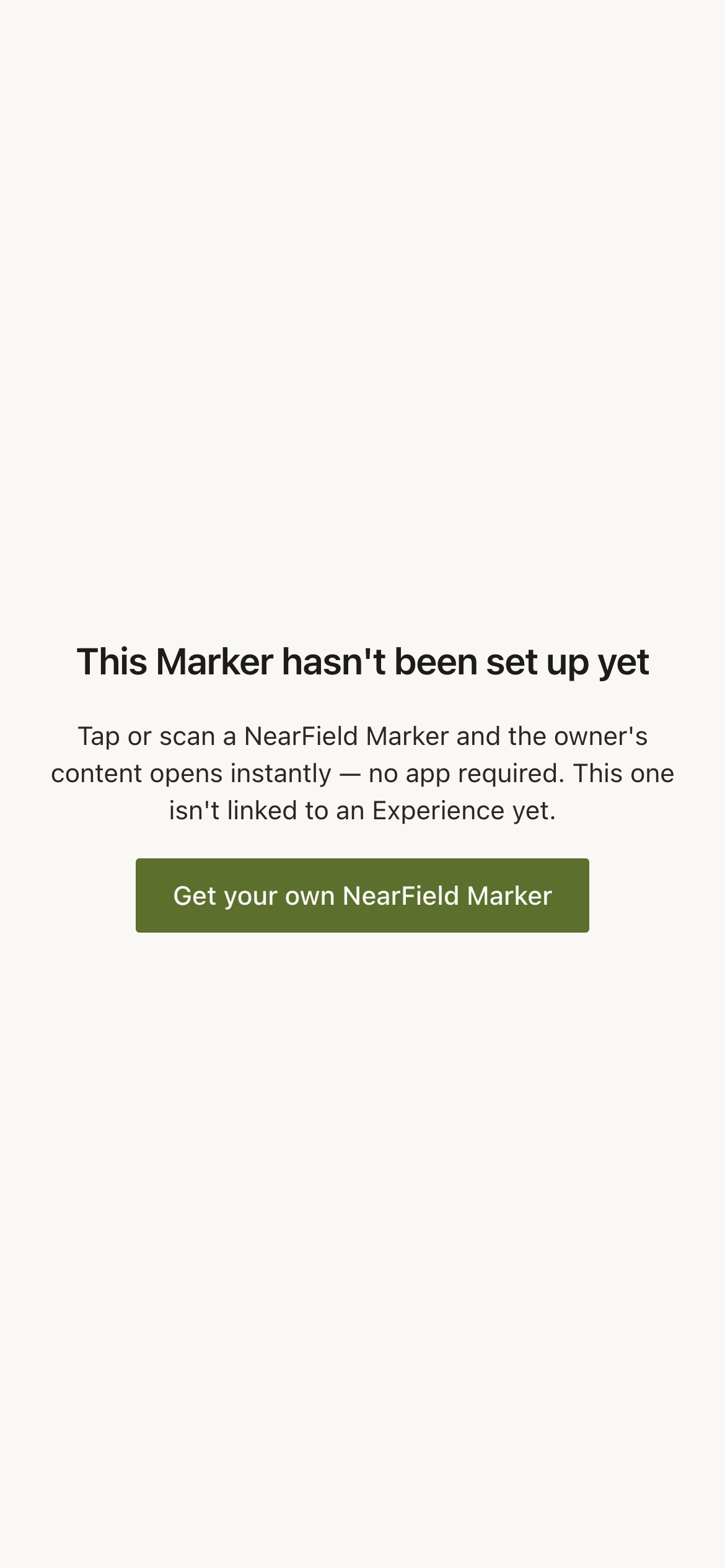
- A disconnected Marker points at nothing and shows visitors a NearField page reading This Marker hasn't been set up yet. Relinking it fixes that; you do not need the PIN again.
What happens to the numbers when you relink
Nothing is lost. A Marker's history follows the Marker rather than the Experience, so a row that has pointed at three Experiences over two years still reports every tap it has ever had. That is deliberate: relinking used to look like the stats had been wiped.
Example
Ridgewood Museum of Natural History: the touring gallery
Six Markers on the touring gallery wall get relinked four times a year as exhibitions change. The Markers have been on the same wall since 2024. Each new show is built as a fresh Experience, previewed, published, and then the six Markers are relinked in about a minute on the morning it opens.
If none of that worked
Tell us the Marker's PIN and the Experience it should be opening, and include the Support PIN from your Account page. We can see what the Marker resolves to from our side.
How many times can I relink one Marker?
As often as you like, forever. There is no limit on relinking and no cost to it.
Can I point a Marker at a website instead of an Experience?
Yes. Create a redirect Experience with the destination URL and link the Marker to that. You keep the scan counts, and you can change the destination later without touching the Marker.
Does relinking break the printed QR code?
No. The printed code and the chip both carry the Marker's address, which never changes. Only the destination behind it moves.