Thirteen of NearField's fifty content blocks are Memory blocks, marked with a sparkle in the block library. Some of them ask a question. Some of them use what was already asked. Together they turn a wall of identical Markers into a space that recognises the person standing in front of it.
Ask once, then use it three ways
One answer, three jobs
You ask once
A Quick Choice block: 'First time here, or a regular?'
The answer is stored
{{visitor_type}}
Held on that visitor's device against this Experience.
It changes the words
Any block's copy can say {{visitor_type}} and it is filled in before the page renders.
It changes what appears
Show-and-hide rules test the answer, so a returning visitor never sees the orientation blocks again.
It shows up in stats
You can see how the answers split, which tells you who is actually tapping.
The branch on the right is the point. Memory is easy to read as a form, which sells it short and leads to Experiences that collect answers nobody ever uses. An answer earns its place when something downstream reads it.
What an Experience can remember
- A name, an email address and a phone number, from the three capture blocks.
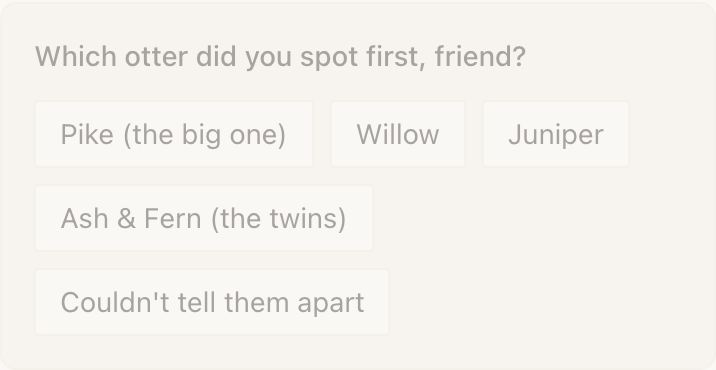
- A choice from a list, from Quick Choice: one option or several.
- A rating: stars, thumbs, or a nought-to-ten score.
- A check-in, which is a timestamp saying they were here.
- A location check, which is a check-in that only succeeds inside a radius you set.
- Any value at all, from Custom Input: a room number, a table, a membership number, a dietary preference.
- A quiz score, a passport of stops completed, and a signed waiver.
- How many times they have visited, and which of your Experiences they have already seen.
Where it is kept
Two halves. On the visitor's phone, a random token in their browser's storage: no name, no email, just an identifier. On our servers, a profile holding the answers, tied to that token.
The token key is namespaced to your account. A different NearField customer's Markers mint a completely separate token on the same phone, which is why what a guest tells your space stays with your space.
How far one answer travels
The outer boundary is one NearField account: your whole space. Inside it, every answer carries one of three reach settings, chosen on the block that collects it.
| Setting | Where the answer can be read | Use it for |
|---|---|---|
| This Experience | Only the page that collected it. | A table number. A room number. Anything that means nothing one wall away. |
| This Project | Every Experience in the same Project. | A floor, a wing, a trail. Needs the Experience to be in a Project. |
| Everywhere | Every Experience in your account. | A name. A language preference. A membership number. |
What makes a returning visitor look new
Memory rides in the visitor's own browser, so it goes when the browser does. Clearing site data, a private tab, or a new phone all produce a person NearField has never met. That is honest behaviour rather than a bug: nothing was stored anywhere that could follow them.
Verified Profiles, on Growth and above, is the fix. A visitor confirms their number once with a code sent by text, and from then on any device that verifies the same number is the same person. Their passport progress, their name and their whole timeline reconnect.
Which plan
| Plan | What you get |
|---|---|
| Starter | Name, Email and Phone Capture: enough to greet a guest by name everywhere in your space, and to collect contact details while they are standing in it. |
| Growth | All thirteen Memory blocks, Conditional Content included, plus a profile for each visitor and Verified Profiles. |
| Enterprise | Everything in Growth, at whatever scale you need. |
Example
Cedar Hollow Zoo & Aquarium: a greeting that gets better
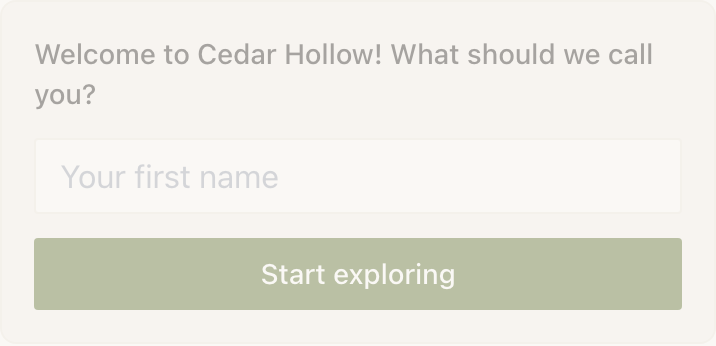
The Marker at the gate carries a Name Capture block: What should we call you? Reach is left at Everywhere, which is the default for a name.
Nine Markers deeper into the park, the otter habitat opens with Good to see you, Priya. Nobody signed in. Nobody installed anything. The greeting was written once, with a fallback, so a visitor who walked straight past the gate reads Good to see you and never sees a half-written sentence.
Do visitors have to agree to anything?
Yes. Memory needs functional cookies, and a visitor who declines them gets no profile at all: nothing is written and nothing is read. The accessibility menu on every Experience lets them review what is stored and clear it.
Can another NearField customer see what a visitor told me?
No. The visitor's token is namespaced to your account, so another customer's Experiences mint an entirely separate one on the same phone. There is no shared visitor pool.
Does Memory work if the visitor is offline?
The page needs a connection to load at all. Once loaded, an answer is shown immediately and written in the background, so a patchy signal does not lose what they typed.
How long does an answer last?
Indefinitely, until the visitor clears their browser or asks to be forgotten. There is no expiry you can set today.
Next: how to ask a question and choose what happens to the answer.
Asking a question, storing the answer