Most Memory blocks are built around the idea that answering once is enough. A guest gives a room number and the block shows it back to them from then on. That is right for a room number and wrong for a shift check-in, a feeding tracker or a room-service card that gets tapped every morning.
What the setting does
Start blank each visit presents the block empty on every page load, ready for a new answer, instead of showing the visitor what they said last time.
It needs repeats switched on first
Start blank each visit is nested under Let visitors answer again and does nothing without it. A block that locks after one answer has nothing to be fresh for. Turn on repeats, then decide about fresh.
| Let visitors answer again | Start blank each visit | What the visitor sees on their second visit |
|---|---|---|
| Off | Not available | Their first answer, locked. No way to change it. |
| On | Off | Their last answer, with a quiet Answer again link under it. |
| On | On | An empty question, as though for the first time. Their past answers are still saved. |
- 1
Open the block in the builder
One of the five below. Anything else has no such setting.
- 2
Find the When someone answers panel
It sits under the block's own fields.
- 3
Switch on Let visitors answer again
Two more switches appear underneath it.
- 4
Switch on Start blank each visit
For Check-In it reads Every visit records a new check-in instead of showing the last one.
- 5
Publish, then tap it twice on your own phone
The builder preview always behaves as a first visit, so it cannot show you the difference. The published page can.
Which blocks have it
Five: Custom Input, Rating, Quick Choice, Check-In and Quiz. The test is whether a second answer sensibly replaces the first. A room number or a rating can be updated; an email address is identity rather than an answer, which is why the contact-capture blocks do not offer repeats at all.
Check-In behaves differently, on purpose
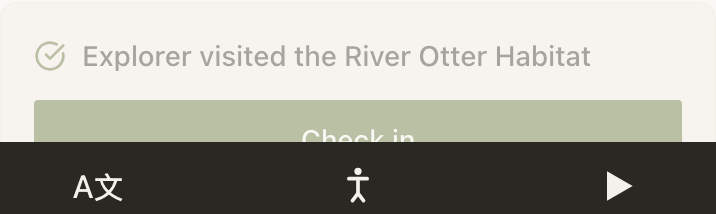
For Check-In the setting reads Every visit records a new check-in instead of showing the last one. Past check-ins stay saved.
The practical difference matters if you also use Auto check-in on page load. Without Start blank each visit, an auto check-in fires only on a visitor's very first arrival. With it, every visit records a new one, which is what a daily attendance count needs.
When to leave it off
- Anything that is still true next time. A dietary preference, a room number for the length of a stay, a language choice.
- Anything you personalise with. A greeting reading
{{name|there}}needs the answer to still be on screen behind it, and blanking the question every visit invites a second, contradictory answer. - Anything you only want once. A one-off survey. A quiz you want a single honest score from.
Example
Harbour Point Aquarium: school groups, twice a day
A Marker at the education entrance carries a Custom Input block labelled Which school group is this?, set to a dropdown of that term's booked schools, with Answer name group.
Groups arrive at 10am and 1pm, and the same teacher often taps the same Marker twice in one day with a different class. Let visitors answer again is on and Start blank each visit is on, so the afternoon tap opens an empty dropdown rather than yesterday's Year 4.
Show them their history is also on, so a teacher who cannot remember whether they already checked in can open their own list and see 2 hours ago. Every check-in stays in the aquarium's Audience record for the term's attendance report.
Does this delete the visitor's earlier answers?
No. Nothing is deleted. Answering again appends a new record rather than overwriting one, and you keep every answer a visitor gave. Only the block's opening state changes.
Does a visitor need to do anything?
No. There is nothing to clear and nothing to sign out of. The block simply opens empty.
Can I make a block forget after a day instead of every visit?
Not today. The choice is per visit or not at all.
What does a visit mean here?
A page load. Coming back to the same Experience in a new session opens the block blank again.