Turning it on
- 1
Install the app and sign in
Push is delivered to the app. There is nothing to switch on in a browser.
- 2
Allow notifications when iOS asks
If you said no, or dismissed the prompt, the next step fixes it.
- 3
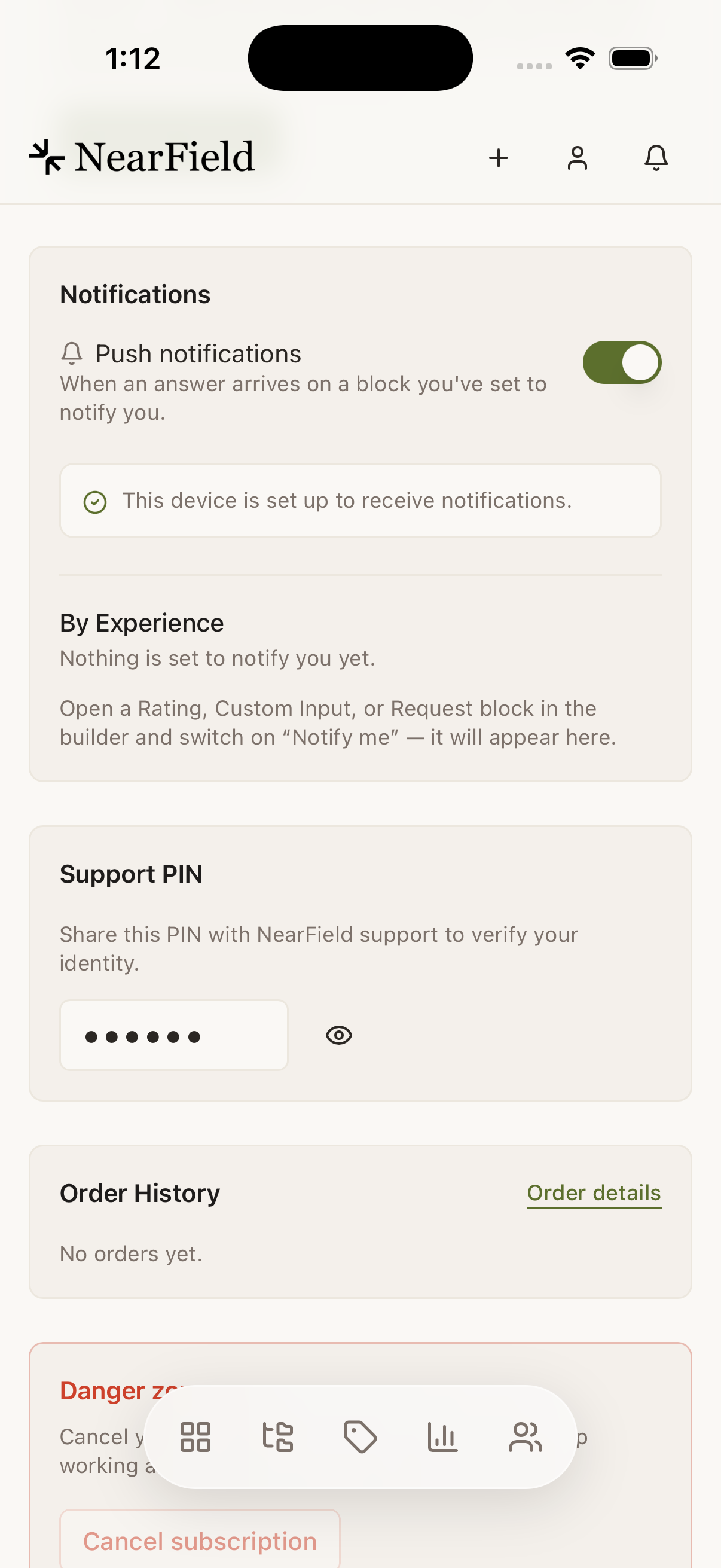
Open Account → Notifications
The screen tells you the state of this specific device rather than a general setting.
- 4
Press Turn on for this device
It registers the phone with NearField. When it has worked, the screen reads "This device is set up to receive notifications."
What you get notified about
| Kind | Fires when | Opens |
|---|---|---|
| Answer | A visitor answers a block you switched Notify me on, or sends a Request | That visitor's timeline |
| Lead | Somebody leaves their details through a Lead Capture Action | That visitor's timeline |
| Milestone | You pass a lifetime threshold, like a hundredth visitor | Stats |
There is nothing else. Views, taps on Wi-Fi or Directions, and payments do not push. In a busy venue a phone that buzzed on every tap would be turned off within a day, and then the answer you needed would be missed too.
The three levers
Control runs from narrow to broad. Start at the top when you want more, at the bottom when you want less.
- Notify me, per block
- In the builder, on a Rating, Custom Input or other question block. This decides which answers are worth an interruption at all. A Request block set to Straight to me, its default, always notifies you, so it has no switch.
- By Experience, per Experience
- Account → Notifications lists every Experience that has a notifying block. Mute one without muting the rest.
- Push notifications, the master switch
- Off means nothing reaches your phone. The bell and inbox inside NearField keep filling either way, so nothing is lost: only the interruption stops. Leads and Requests set to Straight to me are still emailed to you; mute the Experience to stop those too.
Why your phone is silent
Push has three independent ways to be off, and from the outside all three look identical: nothing arrives. Check them in this order.
| Cause | What the app shows | Fix |
|---|---|---|
| iOS is blocking NearField | "iOS is blocking notifications for NearField, so nothing can reach this device." | iOS Settings › Notifications › NearField |
| The device was never registered | "This device isn't set up to receive notifications yet." | Press Turn on for this device |
| The master switch is off | The Push notifications switch reads off | Switch it back on |
| No block asks to notify you | By Experience is empty, with a hint | Switch on Notify me on a Rating or Custom Input block, or add a Request set to Straight to me |
Example
Marigold & Vine, one question worth a buzz
The table Markers ask two things: a star rating, and an open text box headed "Anything we should fix tonight?". The rating stays silent: it is a monthly read. The text box has Notify me on.
At 19:40 the manager's phone buzzes once: a table has flagged a draught by the window. They tap the notification, land on that visitor's timeline, and move the table before the main courses arrive.
Can I get push in a desktop browser?
No. The web has the bell and the inbox; only the app pushes. The note on the settings screen says so directly: the switch there applies to your phone.
Two of us share the account. Can we both get notifications?
Both phones signed in to the same account can each be registered, and each will receive push. NearField has no separate users or seats, so it is one login on two devices.
Why did I get a milestone notification for something that happened weeks ago?
Milestones are lifetime and fire when the threshold is crossed. If the app was never installed at the time, you meet the notification the first time your phone is registered.
Do notifications work if I force-quit the app?
Yes. Delivery is handled by iOS, not by the app being open.