Guide · Campgrounds
Campground Facility Signs You Can Update From Your Phone
Bathhouse hours, pool rules, hookup help and closures change all season. How to put an editable page behind every campground sign, with nothing to reprint.
It's peak season and a pipe bursts in the bathhouse at six in the morning. You close it, drive to the hardware store, and by the time you're back four campers have read "Open 7am to 10pm" on the laminated sign by the door and walked up to the office to ask when the showers reopen. The sign wasn't wrong when you printed it. It just can't know what happened this morning.
Facility signs at a campground or RV park carry the information that changes most: hours that shift with the season, a pool that closes for weather, a dryer that's out of order, a camp store that shuts early on Sundays. This guide covers what to put behind each sign so it stays right, and how to change it in less time than it takes to walk to the building.
Why printed facility signs go stale
- Hours move with the season. Bathhouse, pool and store hours in May aren't the hours in July, and a sign printed in spring is wrong by midsummer.
- Closures don't wait for the printer. A broken water heater, a pool closed for lightning, a laundry room shut for cleaning: the notice that matters is the one from this morning.
- Rain and sun win eventually. Laminated sheets curl and fade and get taped over, and a taped-over sign stops being read.
- Every wrong sign becomes a trip to the office. When the posted information can't be trusted, guests walk up and ask, which is exactly the interruption the sign was there to prevent.
What to put behind each sign
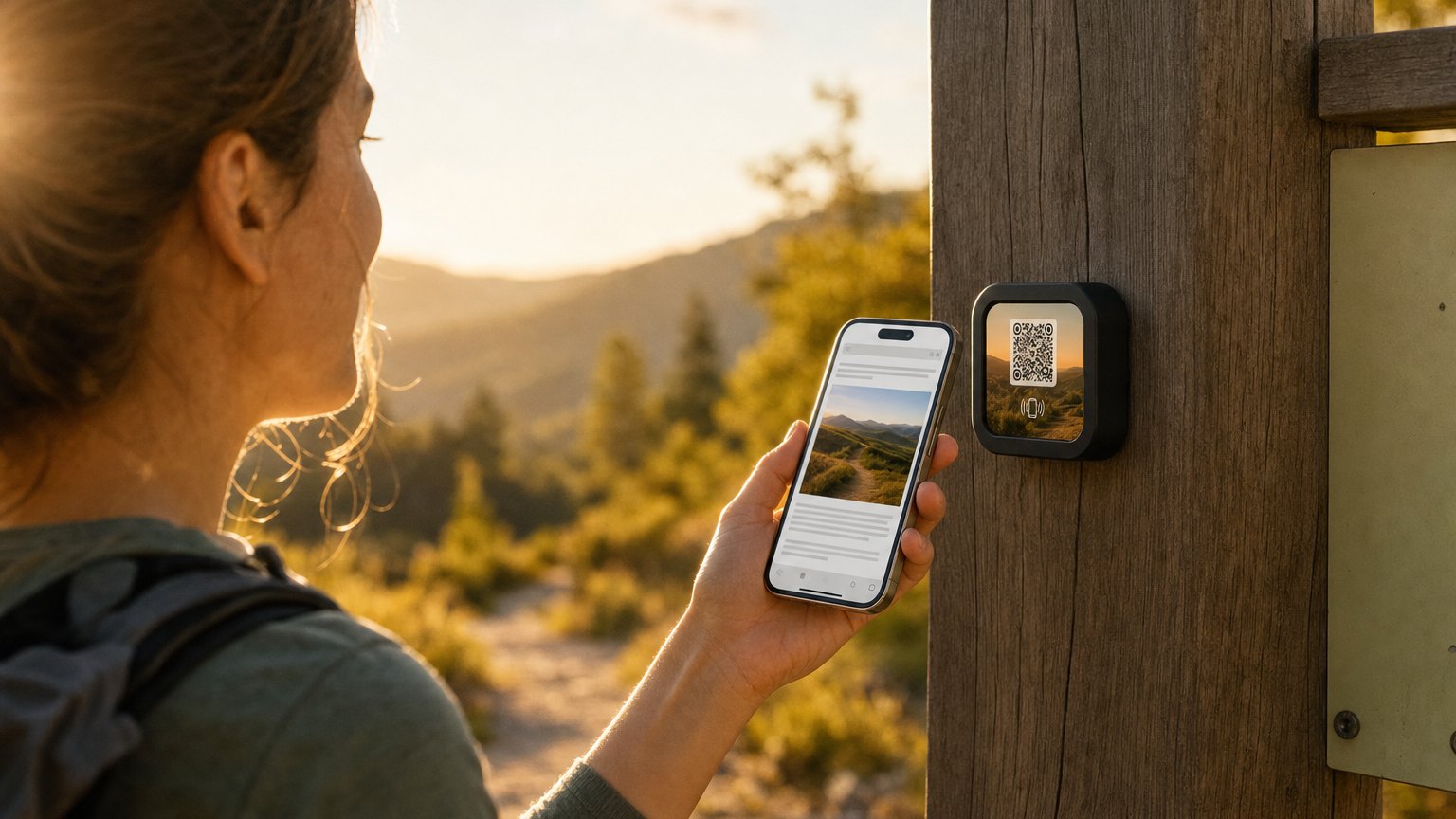
A NearField Marker is a three-inch tile you mount beside the sign you already have. A guest taps it with a phone, or scans its printed QR code, and a web page opens. There's no app to install. You build that page from blocks and can change any part of it whenever you like.
Bathhouse and laundry
Put an Hours block at the top with the regular schedule. Under it, a Promo Box for anything temporary: "Building B showers closed until 2pm, please use building A." Add which washers take cards and which take quarters, and who to call when one keeps the money. When the problem's fixed, delete the notice and the page is back to normal.
Pool and hot tub
Hours, the rules you're required to post, and a notice line for weather closures. A Safety Card holds the emergency information (the nearest phone, the defibrillator, where to shelter in a storm), and it can never be hidden behind a form.
Electrical hookups and the dump station
A first-time RV owner at a pedestal has three questions: is this 30 or 50 amp, which way does the cord go, and where do I empty the tanks? Put your hookup diagram in a PDF block, the amperage for that loop in a sentence at the top, and a map to the dump station below it. You write it once, and every new arrival gets the walkthrough without anyone walking out to the site.
Camp store and office
Hours, what's in stock (firewood, ice, propane), and the after-hours number as a one-tap call. If you deliver firewood to sites, a guest request reaches your staff as a ready-written text or email with the site number already in it.
Pavilion and activity board
An Event List for the week, so a rained-out movie night comes off the list the moment you cancel it. There's a whole guide to running the weekly activity schedule this way.
How an update actually works
- Open the page in the NearField app or in a browser, from wherever you are.
- Change the hours, add a notice, or delete one.
- Save. The next guest who taps the Marker sees the new version. Nothing to print, laminate or tape up.
The Marker itself never changes. It's UV-resistant, rated for outdoor mounting, and comes with its mounting adhesive, so it can live on the bathhouse door next to the sign it's taking over. If a sign's job moves, you can point the same Marker at a different page.
Guests who read another language
Every page carries the Inclusion Bar along the bottom. A guest can switch the page into any of 20 languages, make the text larger, turn on high contrast, or, if you've chosen a voice, have the page read aloud. There's nothing for you to translate by hand and nothing for the guest to download.
How many Markers and pages you need
| Where | Markers | Page |
|---|---|---|
| Each bathhouse | One per building | One shared bathhouse page, or one each if their hours differ |
| Pool | One at the gate | The pool page |
| Hookup loops | One per loop | One page per amperage |
| Camp store | One at the counter | The store page |
| Pavilion | One | Your activity schedule |
Several Markers can open the same page, so a small park can start with one facilities page on three Markers, which the free plan covers. A page per building takes a paid plan: Starter ($19 a month) runs 3 live Experiences on up to 10 Markers, and Growth ($39 a month) runs 10 on up to 30.
The first three Markers are $49 and ship free. Every one after that is $29, and the order still ships free.
Start with the sign that gets the most questions
Pick the one facility that sends the most people to your office. For most parks it's the bathhouse. Build its page, put a Marker beside the sign, and see whether the questions stop. Then do the pool, the hookups and the store.
The campground template has the park map, quiet hours and camp store already laid out, and NFC for campgrounds covers the rest of the property, from check-in to the Wi-Fi. If you're weighing a plain QR code instead, NFC vs. QR codes covers how the two compare and why every Marker carries both.
Ready to build?
Try it on one spot first
Build the page free, no credit card. When it reads right, three Markers are $49 and ship free.

Related guides
More for hospitality: QR code & NFC for hotels, restaurants, and vacation rentals →