Template · Community & Meetups

    A meetup hub on the check-in table, and a lead form on every sponsor booth.

    Use this template free

    No account or card needed to build.

    Two builds in one template. Organizers get a hub with the next three meetups, a giveaway signup, and their sponsor on it. Sponsors get a booth Marker that collects a name and an email while the rep is talking to somebody else. Same hardware, different Experience.

    Organizer hub includes

    Group name, welcome note, and how often you meet
    Event list of upcoming meetups - dated items hide themselves once they pass
    A quick question so you know which group each person came for
    Giveaway signup that collects a name and an email where people stand
    Sponsor banner with logo, tagline, and link
    Join-the-group-chat button (Slack, Discord, WhatsApp, or a signup form)
    A welcome back for regulars, by name

    Sponsor booth includes

    Company name, tagline, and a short pitch that works without a rep
    Lead capture form - name and email, with your own consent line
    Sponsor banner so the booth reads as sponsored, not as an ad
    Leave-behind resources: one-pager, pricing sheet, case study, video
    An event-specific offer with a code and a deadline
    Who-you-met details so the follow-up email comes from a face

    No card needed to build. Your 14-day trial starts when your page goes live. An Intro 3-Pack covers the check-in table and two sponsor booths.
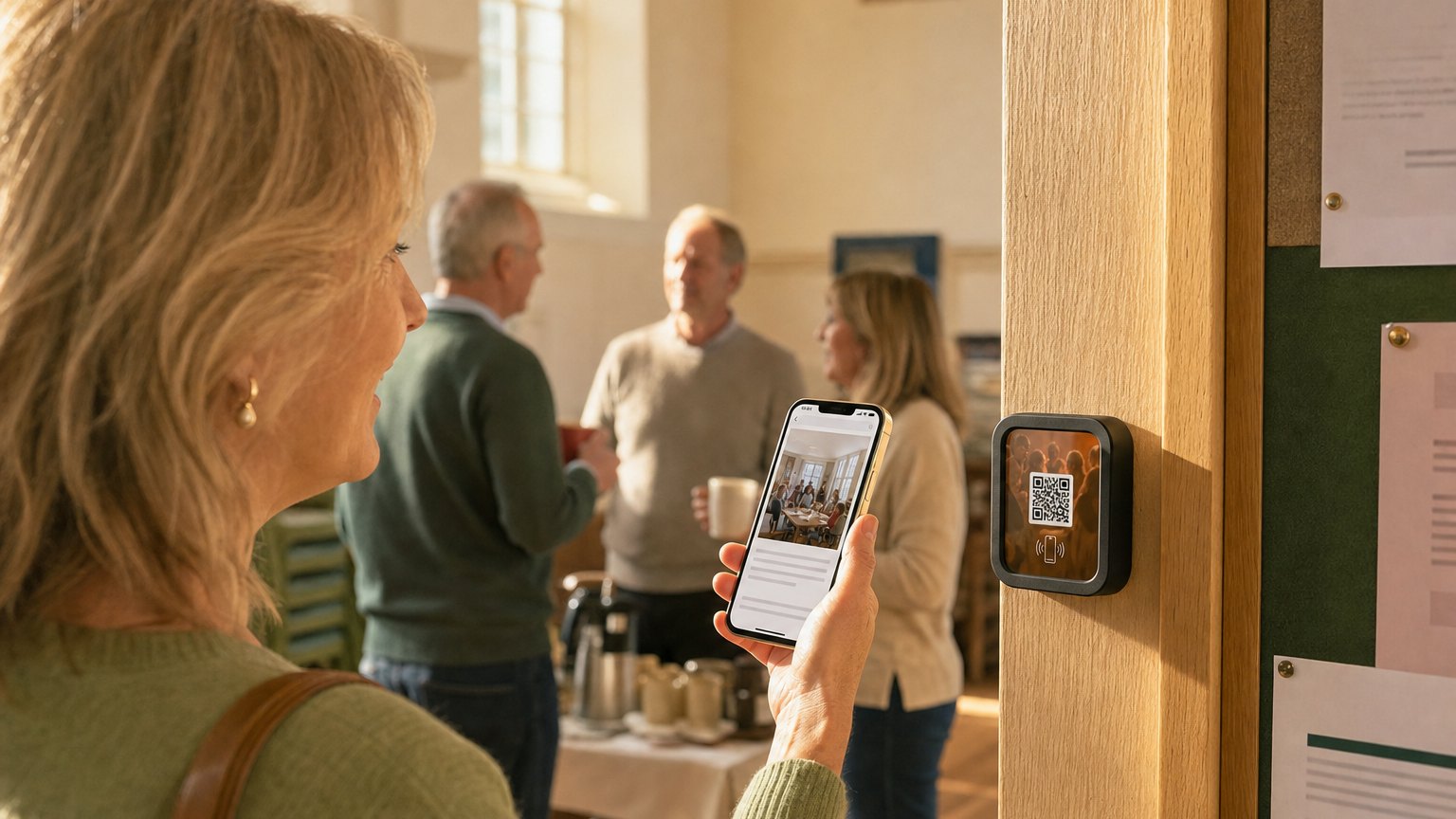
    A guest taps her phone to a NearField Marker on the check-in table at a community meetup

    How it works on the night

    1

    Build it once

    Put the next two or three meetups in the event list, write the welcome, add the giveaway prize, and drop your sponsor's logo on. Fifteen minutes at the kitchen table.

    2

    Tap or scan at the door

    The Marker sits on the check-in table. People tap or scan it, read what's on tonight, tell you which group they came for, and enter the giveaway - all before they've found a seat.

    3

    Change the content, keep the Marker

    Next month you edit the event list and the prize. The Marker on the table is the same one. Nothing gets reprinted, and last month's flyers don't have to be thrown away.

    The giveaway is the mailing list

    A clipboard by the door gets four names and two of them are unreadable. A giveaway entry on the Marker asks for a name and an email, typed on their own phone with no handwriting to decode, while they're standing there with a reason to give it. Every entry lands in your Audience with the Marker that captured it, so you know it came from the October meetup and not from the website form.

    Give your sponsors something they can count

    A logo on a banner is unmeasurable, which is why sponsors renew reluctantly. A booth Marker gives them a count of taps and scans and a list of names. Run the booth-trail passport on top of it and every attendee has a reason to visit all of them: tap each booth, collect a stamp, claim the prize at the welcome desk. Sponsors see the traffic, and you have a renewal conversation with numbers in it.
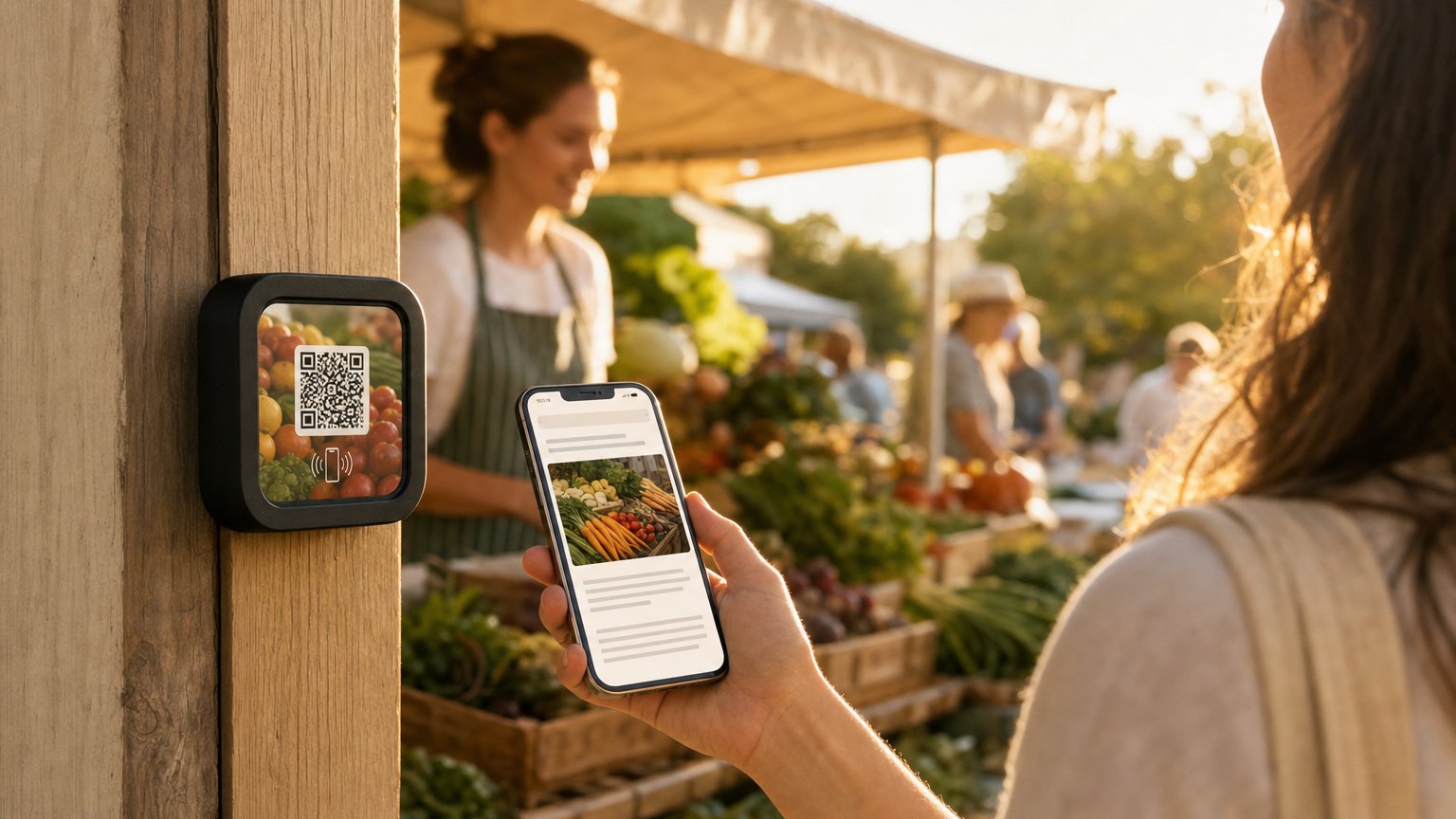
    A visitor taps her phone to a NearField Marker on a sponsor's table at a community event
    On the sponsor's table - the pitch, the offer, and a two-field form that works while the rep is busy.

    Ready to build?

    Start with this template

    Free to build. One Marker for the check-in table is $29, or an Intro 3-Pack covers the table and two sponsor booths.

    Want the full guide? Read how QR and NFC work at community meetups.
    Ready-made Markers for this

    Pick a design, tell us where it points, and check out - no account needed to start.

    Ships in 2 business days from the US - and you can re-point any Marker later.

    QR Schedule - Coral

    Check in - Mint NFC and QR Marker

    Check in - Mint

    What's on - Coral NFC and QR Marker

    What's on - Coral

    Photos - Coral NFC and QR Marker

    Photos - Coral

    For places with two or more spots

    Setting up more than one spot? The first Marker's on us.

    Tell us how many spots you have and where to send it, then build the page it opens: pick your Marker, choose what a tap or scan opens, and we draft the rest in about a minute. We make the Marker and put it in the mail. No card, no call to book.

    • •You build the page it opens, from a template for your kind of place.
    • •One real Marker, in the mail, on us, to try at your first spot before you set up the rest.
    • •We confirm the details by email before it ships.

    How many spots would get a Marker?

    Rooms, exhibits, tables, rentals, trail stops: anywhere a guest would tap or scan.

    No card, no commitment. Next, you build the page it opens. It takes about a minute.