Seventeen Actions, sorted here by what you are trying to achieve rather than by price. The plan badge on each entry is the plan visitors need to see it. A free account builds with every Action up to Growth, and the 14-day trial shows them once your page is live; on a paid plan below the badge, the picker shows a plan chip and opens your upgrade options instead of adding the block.
| Free | Starter | Growth | Enterprise |
|---|---|---|---|
| Guest Wi-Fi, File, Call, Directions, Action Hub, Donate, Pay | Lead Capture, Text Us, Save Contact | Review & Feedback, Add to Calendar, Request, Safety Card, Waiver | Book, View in AR |
The block library · 51 blocks
Showing 51 of 51
- Heading
Title or section header
- Text
Body text with formatting
- Accordion
Expandable sections: menus, FAQs, house rules
- Promo Box
Colored callout for today's special
- Button
Clickable link button
- Divider
Horizontal separator line
- Image
Upload a photo or graphic
- Photo Gallery
Swipeable image gallery
- Video
Embed a YouTube or Vimeo video
- Audio
Audio player with transcript
- Before & After
Image comparison slider
- 3D Model
Sketchfab embed
- Social Links
Your accounts, as tappable icons
- Social Embed
One post from Instagram, TikTok, X…
- Sponsor Banner
Co-branded sponsor bar
- Hours
Weekly hours with live Open now / Closed
- Event List
What's on. Dated items hide themselves after
- Guest Wi-Fi
Network name and password, one tap to copy
- Map
Embedded Google Map
- Directions
Opens the right maps app for their phone
- Call
One tap to phone you
- Text UsStarter
Opens a text with your message pre-written
- Save ContactStarter
Add your details to their phone
- File
Hand over a PDF - menu, spec sheet, schedule
- Add to CalendarGrowth
Drop an event into their calendar
- BookEnterprise
Send them to your booking system
- Action Hub
Two to five outcomes in one block
- Safety CardGrowth
AED, exits, emergency contacts
- Live Chat
tawk.to chat embed
- View in AREnterprise
Place the object in their room
- Welcome BackStarter
Greets first-timers and regulars differently
- PassportGrowth
Multi-stop progress with a reward at the end
- Explore More
Your other Experiences, with visited badges
- Name CaptureStarter
Ask visitor's name, kept across Experiences
- Email CaptureStarter
Collect a verified email address
- Phone CaptureStarter
Collect a phone number with country flags
- Lead CaptureStarter
Collect a name, email, or phone number
- Quick ChoiceGrowth
Multiple-choice question that saves an answer
- RatingGrowth
Stars, thumbs, or NPS with analytics
- Review & FeedbackGrowth
Google review link plus a private feedback path
- Custom InputGrowth
Capture any value: room number, table, ID
- Check-InGrowth
Timestamp visitor presence at a location
- Geo Check-InGrowth
Verify visitor is at a location
- RequestGrowth
Towels, valet, a test drive - routed to staff
- WaiverGrowth
Read, type a name, agree. Remembered for the season
- QuizGrowth
Scored questions with a reveal for good scores
- Feedback Form
Embed a Google Form
- Donation
Accept donations inline via Stripe
- Donate
One-tap donations through Stripe
- Pay
Take a payment or a tip
- ConditionalGrowth
Show/hide content based on visitor data
Contact and arrival
- CallFree
- A button that dials you. The visitor taps and their phone opens the dialler with your number in it. Takes a phone number, an optional heading and an optional hours note under the button. Deliberately does not offer a notification: a Call fires constantly and carries no message.
- Text UsStarter
- Opens the visitor's messaging app with your number and a message already typed. They see the message before they tap, in a panel headed Your message. It only reaches you if they press send.
- Save ContactStarter
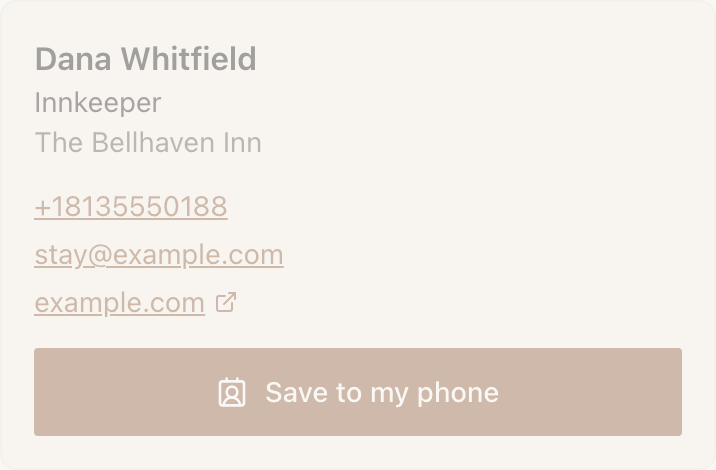
- Adds your details to their phone. The block renders a small business card (name, role, organisation, tappable phone and email) and the button downloads a standard
.vcfcontact file. Inside Instagram's or LinkedIn's built-in browser the file saves rather than opening, so visitors there are shown a line telling them to open the page in Safari or Chrome. - DirectionsFree
- Opens the right maps app for their phone: Apple Maps on iPhone, Google Maps on everything else, using the installed app when there is one. Search for the address in the editor and NearField keeps the coordinates, which beat a text address when a venue is hard to geocode.
Handing something over
- Guest Wi-FiFree
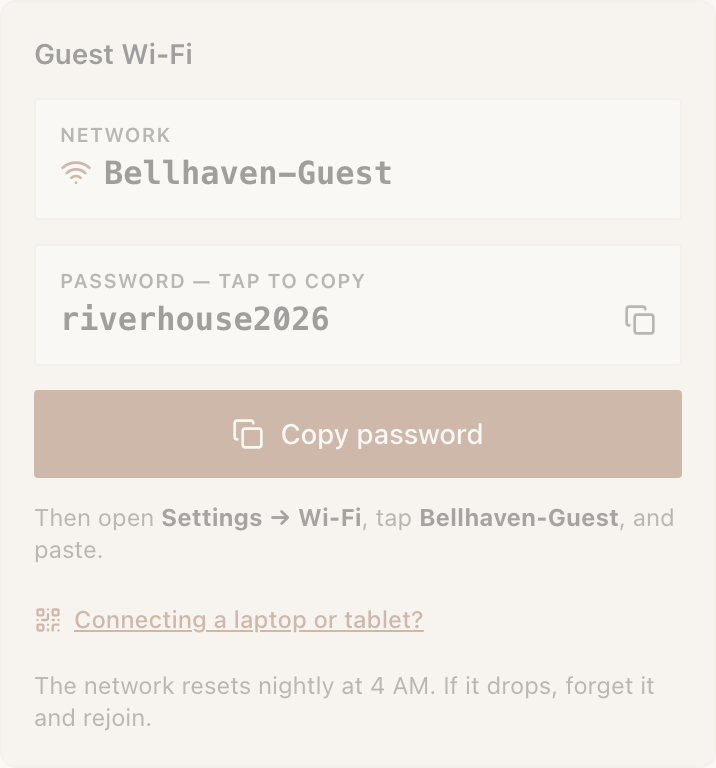
- Shows the network name and a password panel that copies on tap, then tells them where to paste it. An open network renders as This is an open network, so no password is needed. Switch on Show a QR for laptops and visitors get a scannable panel for a device that has no browser on it. NearField deliberately does not generate Apple configuration profiles: they need an annually renewed certificate and break inside in-app browsers.
- FileFree
- Hands over a document. A PDF opens inside the Experience with a Download instead link underneath; anything else is a plain download, because there is nothing sensible to draw for a
.docx. Menus, spec sheets, floor plans, class schedules. - Add to CalendarGrowth
- Builds a standard calendar file on the visitor's phone and downloads it. Needs an event name and a start time; leave the end blank and the event defaults to one hour. Works on every phone, with no account linking.
- View in AREnterprise
- Places an object in the visitor's room. Needs two files, a
.usdzfor iPhone and a.glbfor Android, because neither format works on the other platform. No app install and no SDK. A desktop visitor is told to open the page on a phone rather than given a dead button.
Collecting something back
- Lead CaptureStarter
- An inline form asking for a name, an email, a phone number, or any combination, with optional consent text. Can deliver a file after submit and can refuse a second claim from the same person. It has an article of its own.
- Review & FeedbackGrowth
- A star row, then a Google review link, then a private feedback box. Every visitor sees the review link whatever they rated you: routing only happy visitors to Google breaches Google's review policies and puts your listing at risk, so NearField does not offer it. The private note goes to you and nowhere else.
- WaiverGrowth
- The visitor reads your terms, types their name, ticks the box and agrees. A signed waiver can follow them across your whole space so nobody signs twice. See waivers and signatures.
- RequestGrowth
- The visitor picks what they need from a short list, optionally types a room or table number, and taps. By default it goes straight to you: a push to the NearField app and an email to your account address, with nothing for the visitor to send. Covered in booking and requests.
Taking money
- DonateFree
- Suggested amounts, an Other amount option, and a redirect to Stripe Checkout. Funds settle to your own Stripe account.
- PayFree
- The same machine framed as a transaction. Set one fixed price or let them choose, and add a reference field (a room number, a table, an invoice) so you can reconcile what came in.
Sending them onward
- Action HubFree
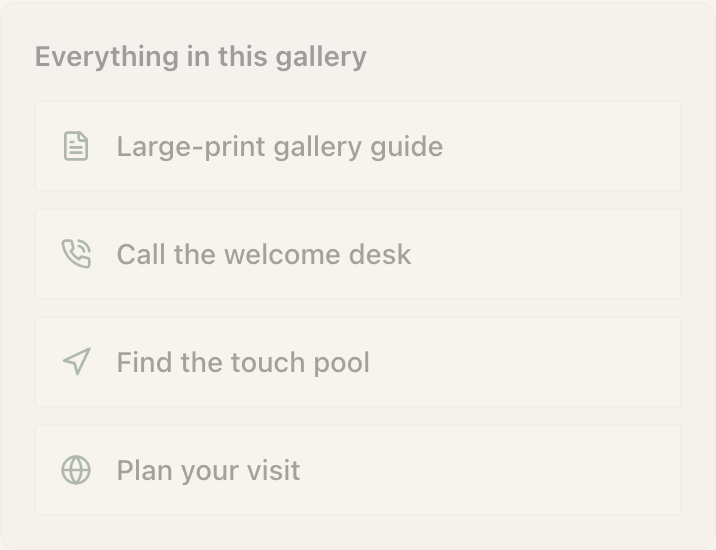
- Two to five outcomes in one block: call, directions, a menu, a Wi-Fi page, Instagram, any link. The most-requested thing in the legacy install base, and the right answer when someone wants the basics on a single Marker. More than five stops being one tap, so the editor caps it there.
- BookEnterprise
- Opens your booking system. Calendly, Square, Mindbody, anything with a link. NearField does not run the calendar: this hands off cleanly to the one you already keep.
In an emergency
- Safety CardGrowth
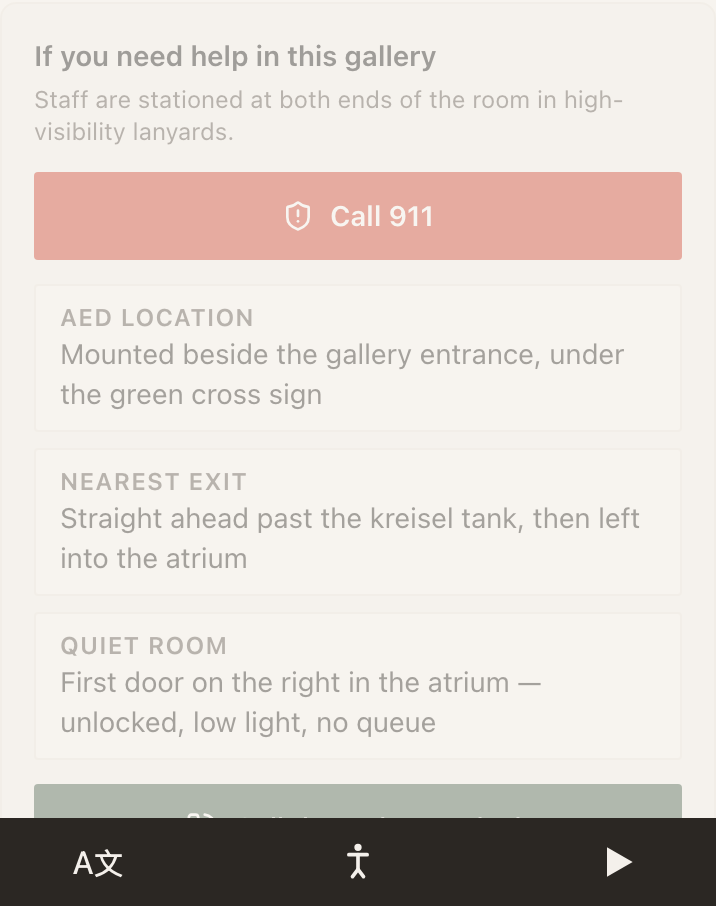
- A large red button dialling your emergency number, then a stack of short facts (where the defibrillator is, where the nearest exit is) and an optional site-manager number. Deliberately high-contrast and short, because someone reading it is in a hurry. This is the one Action that can never be put behind phone verification: emergency information must never be gated.
Where phones differ
Four Actions behave differently depending on the phone or the browser the visitor is in. NearField handles this for you, but knowing it saves a confusing support call.
| Action | iPhone | Android | Inside an in-app browser |
|---|---|---|---|
| Directions | Apple Maps | Google Maps | Opens the maps site rather than the app |
| Text Us | Message prefills | Message prefills | Usually fine; the visitor still has to press send |
| Save Contact | Opens the contact card | Downloads the file | Saves as a file, with a prompt to reopen the page in Safari or Chrome |
| View in AR | AR Quick Look | Scene Viewer | Falls back to the model file |
Can I ask visitors to verify their phone before an Action hands something over?
On Growth and above, yes, for most of them: Guest Wi-Fi, File, Add to Calendar, Book, View in AR, Action Hub and Waiver. Lead Capture and Safety Card are excluded on purpose: asking someone to verify a phone number in order to reach a form asking for their email is a wall in front of a door, and safety information must never be gated.
Which Actions can tell me when someone uses them?
Lead Capture, Waiver, Request and Review & Feedback. The ones that merely open something (Wi-Fi, Directions, Call, Add to Calendar) carry no message and fire constantly, which is the fastest way to teach yourself to swipe notifications away without reading them.
Is the seventeen going to change?
The library above reads from the product, not from a hand-written list, so when a block is added it appears there on the next deploy with its real name and plan.