Guide · U-pick farms
U-Pick Farm Signs That Show What's Ripe Today
What's ripe, which rows are open, rain closures and picked-out days change daily. How to put a picking report you edit from your phone behind every u-pick sign.
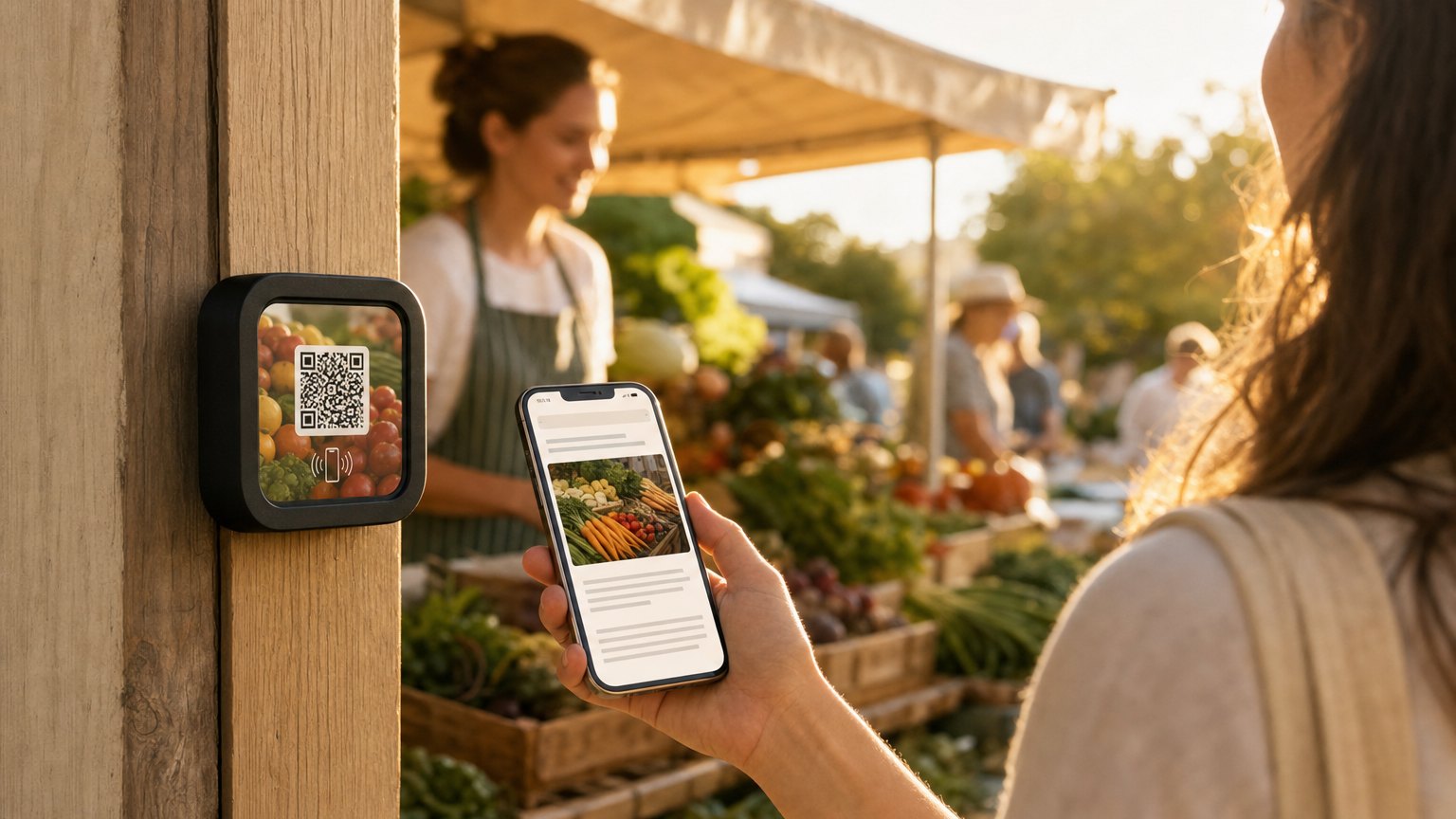
It's the first warm Saturday of strawberry season. It rained overnight, so the lower field stays shut until it dries, and the upper field will be picked out by eleven. The sign at the gate still says "Strawberries, open 8 to 6." The hotline recording was right at seven, last night's Facebook post is already wrong, and the check-in whiteboard says whatever the last person with the pen wrote. So everyone asks at the stand.
Pick-your-own information goes stale faster than any sign can be repainted. What's picking, which rows are open, what a quart costs, whether you supply containers: some of it changes by the season, some by the day, and on a busy June morning, by the hour. This guide covers what belongs on the printed sign, what belongs on a page behind it, and how to keep that page right from your phone.
What changes, and how often
| Information | How often it changes | Where it belongs |
|---|---|---|
| Which crops are picking | Daily, sometimes hourly | The status notice at the top of the page |
| Which fields and rows are open | Daily | The status notice, plus a numbered farm map |
| Conditions after rain or in the heat | Whenever the weather turns | The status notice |
| Price per pound, quart, peck or flat | A few times a season | A section per crop |
| Container rules | A few times a season | A section per crop |
| Hours and last entry | Weekly, plus closures | An Hours block |
| Stay in the flagged rows, pay at the stand | Almost never | Printed on the sign |
Oregon State University Extension's guide to adding u-pick suggests signs for price and picking instructions, and social media for short-notice updates like "strawberries are two weeks behind" or "we are closing due to hot weather." That works for someone deciding at home whether to drive out. It misses the person already at the field gate with an empty container, who won't scroll your feed to learn which rows are open.
What to print, and what to put behind it
Print what never changes: the farm's name, the rules you repeat all season, and one line saying "Tap or scan for today's picking report." Mount a NearField Marker beside it. A Marker is a three-inch tile with an NFC chip inside and a QR code printed on its face. A visitor taps it with a phone or scans the code, and a web page opens, with no app to install. You build that page from blocks, and it changes whenever the field does.
Keep a person in the loop too. Penn State Extension's guide to QR codes in agricultural marketing notes that not every customer uses a phone, and that codes should supplement your other tools, not replace them. The sign should still say where to ask.
Build a picking report you can update from the field
One page can do the work of the hotline, the whiteboard and the morning post. From the top:
- A Promo Box with today's status. It's the callout at the top, and the only part you rewrite each morning: "Upper strawberry field open, rows 1 to 12. Lower field closed until it dries."
- An Hours block with picking hours and last entry.
- An Accordion with a section per crop: the variety, the price per pound or container, whether you hand out containers or visitors bring their own, and a photo of what ripe looks like.
- Your farm map as a photo, with the fields numbered and the wagon stop marked.
- A Safety Card for heat, lightning and first aid. It can never be hidden behind a form.
- A one-tap call to the stand.
The Marker itself never changes. It's UV-resistant, rated for outdoor mounting and comes with mounting adhesive, and what it opens is edited from a phone or a computer. A routine that keeps the page honest:
- The evening before: set tomorrow's hours and what you expect to open.
- After the morning walk: confirm which rows are ready and rewrite the status line.
- When a field picks out or the weather turns: change one line, from the field. On a picked-out day that line is the whole message: "Strawberries picked out for today. Next picking Tuesday, 8am."
Where to put Markers on a u-pick farm
The entrance or parking lot
The picking report, so people learn a field is closed before they walk to it. Several Markers can open the same page, so the entrance, the check-in stand and the field gates can all share one report you update once.
The check-in stand
This is where containers change hands and the price question comes all morning. Point this Marker at the same report, with the container rules spelled out, including whether visitors who bring their own should weigh them empty first.
Each field or row entrance
A page per field: the variety, how to pick it without damaging the plant, and a short video if you have one. When the strawberries finish, re-point that Marker at the blueberry page instead of making a new sign. The farm stand and u-pick template has the pieces for a field page too: a Promo Box for what's picking, the picking days and a map of the open rows.
The scale and checkout
Prices by the pound, quart, peck or flat, and how weighing works. For an unstaffed flower patch or honor stand, a Pay block takes payment through your own Stripe account.
Herb farms and u-cut flowers
Herb and flower farms have the same problem, bed by bed. What's ready to cut this week, whether you sell by the stem, the bunch or the container, and how to cut without harming the plant won't fit on a plant label. A Marker at the head of each bed carries all of it, plus how to use what was cut. When a bed is cut back, change its page, not the label.
Visitors who read another language
Every page carries the Inclusion Bar. A visitor can switch it into any of 20 languages, enlarge the text or turn on high contrast, and, if you've chosen a voice, hear it read aloud. The picking rules reach the whole family.
How many Markers and pages you need
| Where | Markers | Page |
|---|---|---|
| Entrance or parking lot | One | The picking report |
| Check-in stand | One | The picking report |
| Field or row entrance | One per field | A page per field, or the picking report |
| Scale and checkout | One | Prices and payment |
A small farm can start with one picking report on three Markers, which the free plan covers. A page per field takes a paid plan: Starter ($19 a month) runs 3 live Experiences on up to 10 Markers, and Growth ($39 a month) runs 10 on up to 30.
The first three Markers are $49 and ship free. Every one after that is $29, and the order still ships free.
Start with the question you hear most
Pick the question your stand answers most. If it's "what's picking today?", build the picking report first, put Markers at the check-in stand and the busiest field gate, and write the morning status for a week before adding field pages.
If you also run tours or a garden walk, NFC for farm tours covers stops from the animal pens to the barn. Weighing a plain printed QR code against a Marker? NFC vs. QR codes compares the two, and dynamic QR codes explains codes whose destination you can change after printing.
Ready to build?
Try it on one spot first
Build the page free, no credit card. When it reads right, three Markers are $49 and ship free.


More for attractions: QR code & NFC for museums, galleries, and zoos →