Guide · Wineries
NFC for winery tasting rooms — going deeper than the flight card
The problem with a paper flight card isn't that guests don't read it. It's that it can't hold the story. A card has room for a name, a varietal, and a three-word tasting note. It can't explain why the 2022 tasted different from the 2021, or that the bottle in the glass came from the oldest block on the estate and there are two hundred cases of it.
The story lives in your staff's heads
On a quiet Tuesday, a good pourer will give a guest the whole picture: the growing season, what the winemaker noticed in barrel, which block the fruit came from, why this one is worth taking home. On a Saturday with every stool occupied, that same pourer has ninety seconds per guest and the story gets cut to the varietal and the price.
That's the gap. The tasting room floor is the highest-margin moment in the entire customer relationship — tasting room and wine club sales together make up the majority of direct-to-consumer revenue at most small and mid-size wineries — and it's also the moment where the information that drives a purchase most often goes unsaid.
A NearField Marker doesn't replace the pour or the conversation. It changes the delivery mechanism for the part of the story that doesn't need a person: the notes, the history, the pricing, the club terms. Your staff keep the part that does.
What a Marker does at the bar
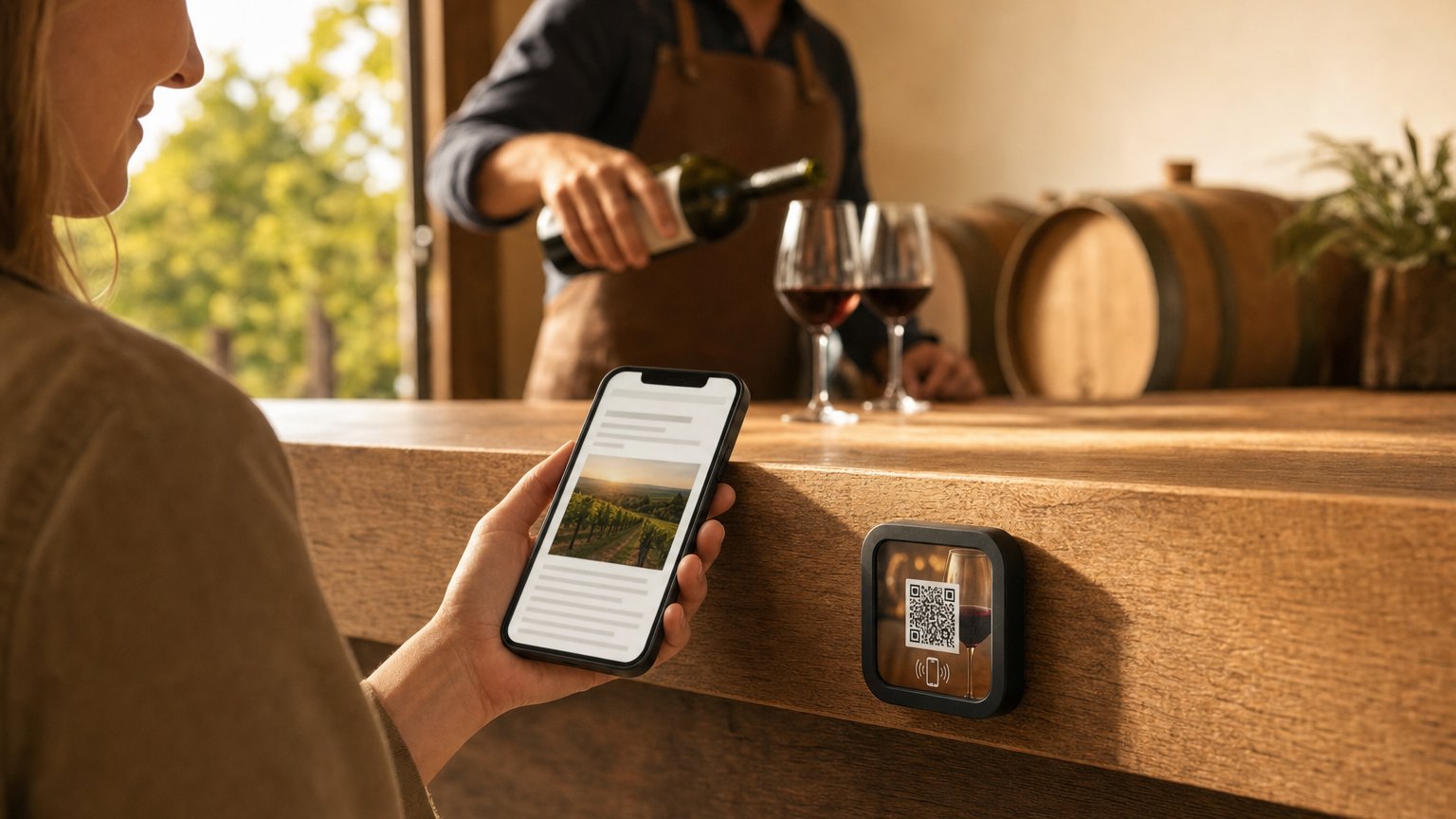
A Marker is a durable tile you place on the tasting bar, the barrel room door, or a patio table. Guests tap it with their phone, or scan the printed QR on its face, and open a page you control. No app, no download, no login.
You update it when the seasonal flight rotates, when a bottle sells out, or when a release party gets scheduled. Every tap from that moment on shows the current version. The physical tile on the bar never changes, which is the whole point — the reprint cycle disappears, not the tile.
Because the Experience carries context forward, a guest who gives their name at the first pour is recognized at the next one. A first-time visitor gets walked through the lineup; a returning club member gets pointed at what's new since their last allocation.
What to put on it
Today's flight. For each wine: a growing-season note in plain language, the winemaker's take in two sentences written like a person talking, a specific pairing keyed to what's actually on the board today, and whether it's available to take home. Update this when the flight rotates.
The vineyard story. Estate history, which blocks are planted where, how old the vines are, and how you make wine. Write it once; it works all year.
Available to take home. Current releases with bottle and case pricing, library selections with a bottles-remaining count, and club pricing shown alongside walk-in pricing — a quiet, permanent argument for joining.
Wine club. What members get, how allocations ship, how to defer a shipment, and a direct link into your signup flow. Every guest at the bar is a potential member; not every one of them will hear the pitch during a rush.
Upcoming events. Release parties, harvest dinners, pickup days, vineyard walks. Guests who tap on the way out can book before they've left the property.
Ready to try it?
Build your first tasting room Experience free. No credit card required.
Build a tasting room Experience freeWhere the Markers go
At the tasting bar. The most direct placement, and the one that earns its keep fastest. Staff can introduce it in the first thirty seconds — "the Marker at your spot has the full notes if you want to go deeper while I pour" — and then spend the rest of the tasting on conversation instead of recitation.
At the barrel room door. Even an informal barrel room view is a natural pause point. Tap to read what's aging in the room, when it went down, and what it will become. This one works even when the room isn't open.
On the patio. Guests who move outside after a seated tasting often stay for another glass. A Marker on the table lets them explore what's available without flagging down a server, with a clear path to buying what they're drinking. Outdoors, durability matters more than people expect: a moulded tile that survives five years of sun and weather is a different proposition from an adhesive label. The differences between NFC and printed QR are covered in detail here.
At the club pickup table. During allocation pickups and release events, a Marker at the member table opens straight to the current allocation, shipping options, and what's coming next.
What changes for staff
Less repetition, more conversation. The informational layer is handled, so floor time goes to the things that genuinely need a human: what to pour at a dinner party, how your Cabernet differs from the estate down the road, what a new member should actually expect in their first shipment.
For seasonal changes, one dashboard update replaces a reprint cycle. The notes a guest reads in October describe the fall flight; the notes in April describe the spring selections. Nobody orders new cards.
NearField Experiences render in 20 languages, which matters more than it sounds for estates in established wine-tourism regions, near an airport, or hosting international trade buyers.
Start with an Action
A full tasting room Experience is the right destination. These three solve a Saturday-rush problem on their own.
Review & Feedback
The end-of-tasting tap is the natural moment to ask.
Try the live demoLead Capture
Club interest captured at the bar, not on a clipboard.
Try the live demoAdd to Calendar
The release party lands in their phone before they leave.
Try the live demoEach one goes live in under a minute, and any Action converts into the full Experience described here in one tap — the same link and Markers keep working. See all 17 Actions.
Ready to build?
Build your first tasting room tile
The winery template includes today's flight with full notes, the vineyard story, a take-home list with club pricing, wine club sign-up, and upcoming events. Start with the flight you're pouring this weekend.