Name for the place, not the content
A Marker's name is yours alone: visitors never see it. Its only job is to let you find one Marker among many, months from now, from a description somebody gives you over a radio.
Which is why naming a Marker after what it currently opens is a trap. The content is the part that changes; the wall is the part that does not. Otter habitat rail is still true in five years. Summer feeding times stopped being true in September.
| Instead of | Use | Why |
|---|---|---|
| Feeding times | Otter habitat rail | Survives every relink. |
| Brunch menu | Table 12 - window | A server can report a fault by table number. |
| Room service | Room 214 - bedside | Two Markers in one room stay distinguishable. |
| Audio guide | Gallery 3 - case 7 label | Matches how the building already refers to itself. |
To rename, open the row's actions menu and choose Rename. It works on any Marker, linked or not.
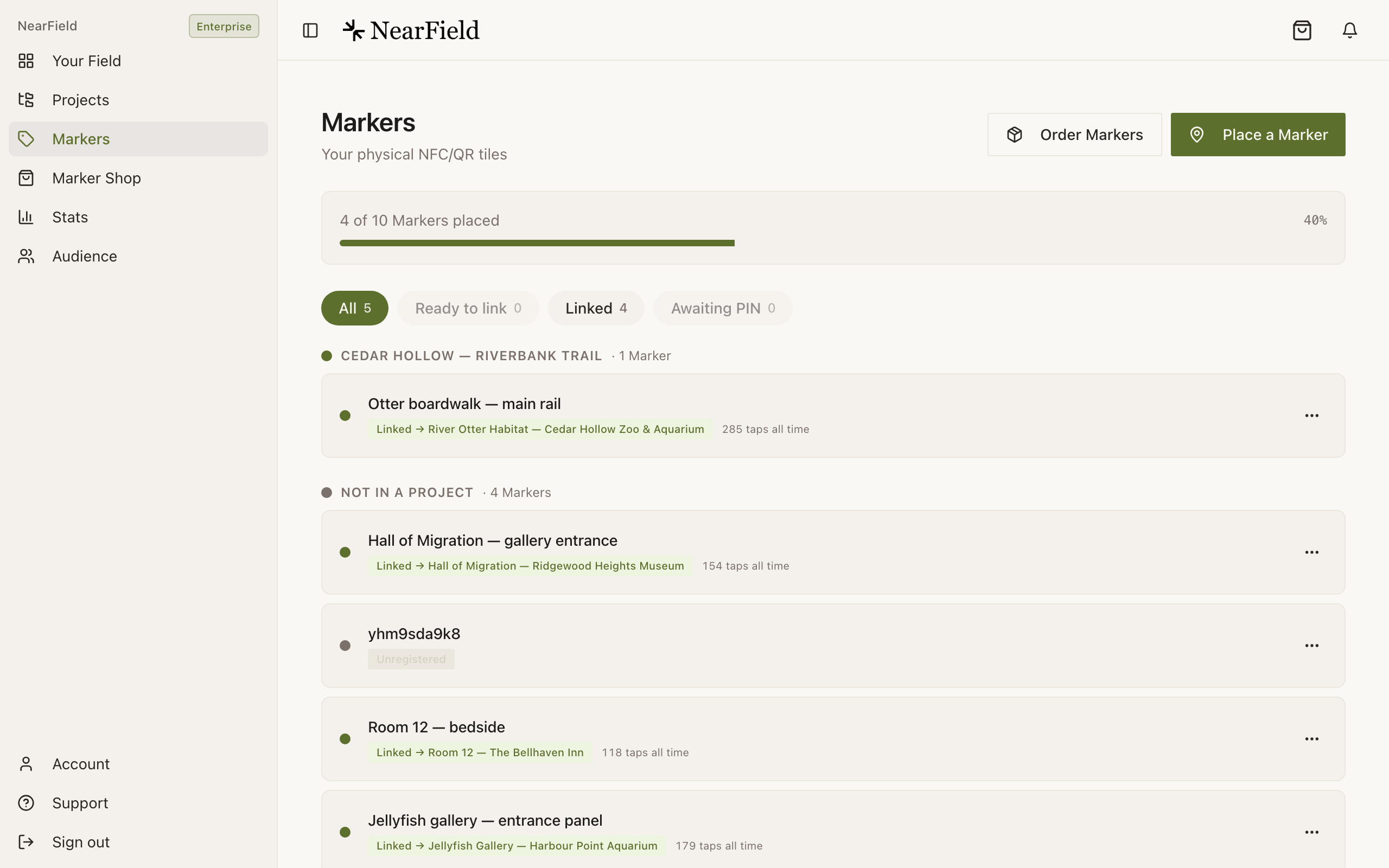
The Markers page at a glance
- The usage bar
- {placed} of {total} Markers placed. Placed means the Marker has an Experience, so this is a measure of hardware doing work rather than hardware owned.
- On the way
- Orders that have not landed yet, with a Being prepared or In transit line and a tracking number when the carrier has given us one.
- Ready to place
- Markers that have arrived and are waiting for a PIN. This panel disappears when the last one is registered, which is a satisfying way to run an install day.
- Filter chips
- All, Ready to link, Linked and Awaiting PIN, each carrying a count and disabled when the count is zero. Ready to link is the one to check monthly: it is the list of Markers you are paying for and not using.
- The lifetime label
- Something like 47 taps all time · 3 Experiences. Counted against the Marker across everything it has ever pointed at.
How properties group Markers
If your account uses Projects as properties, the Markers page groups by property. The rule behind the grouping is worth knowing, because it surprises people:
For a multi-site operator this is usually the behaviour you want: the Marker follows the content. It does mean that a batch of freshly registered, unlinked Markers all pile into the ungrouped bucket until they are pointed somewhere.
Example
The Bellhaven Hotel's convention
The Bellhaven names every Marker as floor - location: 2 - 214 bedside, 2 - 214 desk, L - concierge counter, L - lift lobby. Housekeeping reports faults by room number, the front desk finds the row in one search, and when the hotel moved its in-room Experiences from a welcome page to a Request Action, not one name needed changing.
Sharing a Marker's link
Copy link in the actions menu writes the Marker's address with the direct source attached, so anything you paste into an email or a document is filed as a shared link rather than counted as a tap. Use it rather than typing the address out. See How taps and scans are attributed.
Can I select several Markers and change them together?
Not today. The Markers page works one row at a time. The nearest thing to a bulk action is Register another Marker during registration, which keeps your chosen Experience between Markers.
What is shown if I never name a Marker?
Its Marker ID, which is the code printed into the design. It is unique and perfectly usable, just harder to recognise than a name.
Can two Markers have the same name?
Yes, nothing stops you. It is a bad idea for the same reason two rooms with the same number would be.
Where do I see which Markers are pulling their weight?
Stats has a per-Marker breakdown showing views, source and last visit for every Marker, including ones that have not been visited at all.